Online CSV Editor and Converter
A CSV file stores table data as plain text, but separators and headers can cause errors during import. For example, a semicolon separated export can place every value in one column. This online CSV editor lets you import CSV, JSON, XLS workbook, HTML, XML, or YAML, check the table, edit cells, and export the format your next tool needs.
How the CSV Editor Works
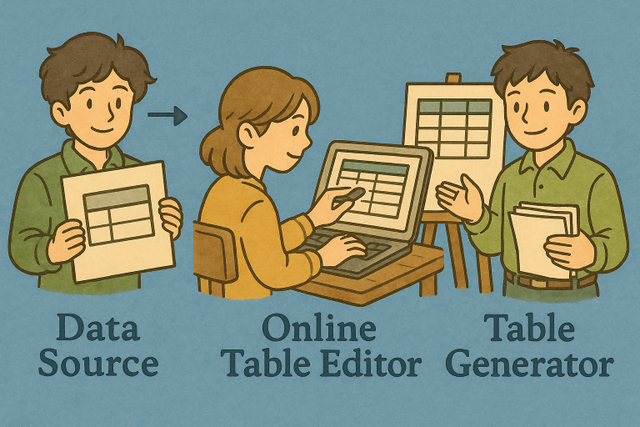
1. Import data
2. Review and edit the table
3. Export the table
Supported Formats
Import Data
You can choose a format, paste data, upload a file, or load an example
Header Options
Import Status
No data is ready to parse
Type or paste data to preview the table as you work
Online Table Editor
You can add data above to start editing the table.
CSV Tools by Category
Format Conversion
CSV to JSON
You can convert each CSV row into a JSON object with the header row as its keys.
JSON to CSV
You can convert a JSON array of objects into CSV rows, using object keys as column headers.
CSV to XML
You can convert CSV rows into XML elements when a system expects tagged data.
XML to CSV
You can convert repeated XML records into CSV rows for easier table review.
CSV to YAML
You can convert CSV rows into YAML records while keeping each row readable.
YAML to CSV
You can convert YAML records into CSV rows for spreadsheet workflows.
CSV to TSV
You can convert comma separated fields to tab separated fields when values contain commas.
TSV to CSV
You can convert tab separated fields to comma separated fields for common table workflows.
CSV to Text Columns
You can turn CSV rows into aligned text columns that are easier to read.
Text Columns to CSV
You can turn aligned text columns into CSV rows for reuse in data tools.
CSV to Base64
Encode CSV text as Base64 for transport as text.
Base64 to CSV
Decode Base64 text into CSV when the encoded input is valid.
CSV to HTML
You can convert CSV rows into an HTML table for web pages.
HTML to CSV
You can convert an HTML table into CSV rows for reuse.
CSV to Markdown
You can convert CSV rows into a Markdown table for documentation.
Markdown to CSV
You can convert a Markdown table into CSV rows for processing.
CSV to XLS
You can convert CSV rows into an XLS workbook for spreadsheet work.
XLS to CSV
You can convert a spreadsheet into CSV rows for plain text data exchange.
CSV to PDF
You can convert CSV data into a PDF document for review or sharing.
CSV to SQL
Create SQL insert statements from CSV rows for database commands.
SQL to CSV
You can turn SQL query results into CSV rows for analysis.
Structure Processing
Merge CSV Files
Combine two or more CSV files into one table. Matching headers keep the result consistent.
Compare CSV Files
Compare two CSV files and show their differences before reuse.
Extract CSV Column
You can export selected CSV columns and remove fields the next task does not need.
Filter CSV Cells
You can keep CSV cells that match a pattern to narrow the records.
Sort CSV
Sort CSV data by one or more columns or rows for ordered review.
Transpose CSV
Exchange CSV rows and columns to change the table orientation.
Rename CSV Columns
Rename CSV column headers so the table is easier to interpret.
Change CSV Delimiter
Change the CSV delimiter when values already contain commas.
Content Generation
Create Random CSV
Generate random CSV rows for testing without using real records.
Create Empty CSV
Create an empty CSV file when a workflow needs a blank table.
Create Large CSV
Create a large CSV file to inspect how a workflow handles volume.
Create Custom CSV
Create a CSV with a chosen number of rows and columns for predictable tests.
Data Statistics & Analysis
Find CSV Dimensions
Find the row and column count before processing the CSV.
Count CSV Data
Count CSV rows and columns as a quick input check.
Sum CSV Columns
Calculate the sum of numeric CSV columns to check table totals.
Average CSV
Calculate average values in CSV columns and rows for numeric review.
Analyze CSV
You can review detailed CSV information to identify file structure before conversion.
Data Validation & Cleaning
Validate CSV
You can check a CSV file for common structural errors before another tool uses it.
Fix Broken CSV
Repair common CSV structure problems so parsers can read the output.
Deduplicate CSV
Remove repeated CSV rows to keep one record for each identical entry.
Clean CSV
Remove empty CSV columns, rows, and values to reduce blank structure.
Fill Incomplete CSV
Fill missing CSV values with placeholders so incomplete rows are easy to identify.
Editing & Visualization
CSV Viewer
Preview CSV contents in an editor to reveal headers, blank cells, and unexpected values.
Visualize CSV
Visualize CSV structure to make row and column relationships clearer.
Animate CSV
Animate CSV data one column at a time to present wide tables gradually.
Add Color to CSV
Color CSV data, quotes, and commas differently to make syntax easier to inspect.
Data Security & Privacy
Anonymize CSV
Anonymize personal or sensitive CSV values to reduce exposure in sample data.
Censor CSV
Mask selected CSV data so values are less visible in a review copy.
Encrypt CSV
Encrypt CSV content so readable data becomes protected text for decryption later.
Decrypt CSV
Decrypt a previously encrypted CSV file when the input and key are valid.
Hide Message in CSV
Hide a message in CSV content for a later recovery step.