Analyze CSV File
A CSV with missing cells or uneven rows can produce invalid JSON, XML, or SQL. Analyze a small example first, then review the report before you change formats. This works because the report shows structural problems while the original values stay unchanged.
How CSV analysis works
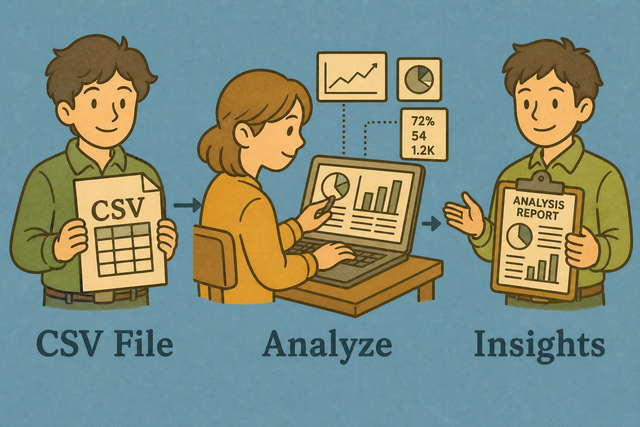
1. Add CSV data
2. Review the analysis
3. Copy or download the report
Supported Formats
Add CSV data
You can paste CSV text, upload a file, or use the sample
Parsing Status
You can add CSV text or upload a file to begin
You can paste CSV text, upload a file, or use the sample
CSV analysis report
You can review row counts, columns, empty cells, and uneven rows.
How to analyze a CSV file
A CSV can look like a table while hidden empty cells or uneven rows cause problems in a database import. For example, one row with a missing value can shift later fields into the wrong columns. Analyze CSV reads the structure in your browser, so you can review the report before another tool receives the file.
- You can add your data Paste CSV text or upload a file. The analysis runs in this browser, which keeps the source data on your device.
- You can set the format Choose the separator and mark the first row as a header when it contains column names. Matching the source format prevents commas, tabs, or semicolons from being read as ordinary text.
- You can review the report Copy or download the result after you check the findings. A review step helps you fix the source file instead of carrying the same error into a later conversion.
CSV structure and field values
What is CSV?
CSV is a plain-text table with one record per line and fields separated by a chosen character. A file such as Name,Age Ada,36 has two columns and two data values. The separator and header setting must match the source because CSV stores values, not formulas or visual formatting.
Sample input and output
Example input
Name,Age,City
Ada,36,London
Lin,29,Taipei
Example output
Name,Age,City
Ada,36,London
Lin,29,Taipei
Common CSV problems
Can a CSV keep leading zeros?
CSV can keep a value such as "00123" as text when the field is quoted. A spreadsheet program may display it as 123 after opening the file, so a text column setting protects postal codes and identifiers.
Why does everything appear in one column?
The file may use semicolons or tabs instead of commas. Choose the matching Field separator because the parser then recognizes each field boundary correctly.
What happens with UTF-8 text?
UTF-8 preserves many accented and non Latin characters across systems. If text looks wrong, the source may use another encoding, so a UTF-8 export gives the parser a consistent character set.
CSV analysis FAQ
Does Analyze CSV upload my file?
No. The report is generated in your browser, and this page does not send your CSV to a server. For example, a customer list stays on your device while the tool counts rows and checks field widths.
You can choose the separator that matches the file, then review the report before you copy or download it. Local analysis keeps the data path clear and lets you inspect the original values without changing them.
What does the analysis include?
The report shows the header state, row count, column count, empty cells, and rows with a different width from the header. For example, a row with two values in a three column file appears as an uneven row.
A structural report gives you a focused check before import or conversion. You can then correct the source CSV with the missing field in the right position.
Should I analyze before converting?
Yes, analysis can reveal broken rows before a CSV becomes JSON, XML, or SQL. For example, a missing field can map later values to the wrong property during conversion.
You can review the separator, header setting, and uneven row list first. This order works because format conversion uses the structure it receives, so an early check prevents the same error from spreading.
What stats does Analyze CSV show?
You get row and column counts, empty cell totals by header, and rows whose field count differs from the header. A table with three headers and one row containing two fields will show that mismatch.
You can use these values to decide whether the source is ready for the next step. Counts and field positions make the report easier to compare with the original file.
Can I analyze a CSV file without spreadsheet software?
Yes. You can paste CSV text or upload a CSV file here, and the analysis runs in your browser. A plain text file with Name,Age and Ada,36 is enough to produce a report.
CSV stores values in rows and fields, so it does not require a spreadsheet application. The separator and header options still need to match the source because they define how each value is read.
Does Analyze CSV change my data?
No. The tool reports on the table and does not repair the source CSV. For example, an empty cell remains empty while the report records its position.
You can copy or download the report when you finish, then repair the source in a separate editor if needed. Keeping analysis separate from editing helps you compare the original data with any later changes.