Count CSV Rows and Columns
A CSV file can look correct while containing an unexpected number of records or fields. For example, a three column export with one header and two data rows has two data rows and three columns. This counter shows those values before you move the data into another format, so your next step uses the right shape.
How CSV Counting Works
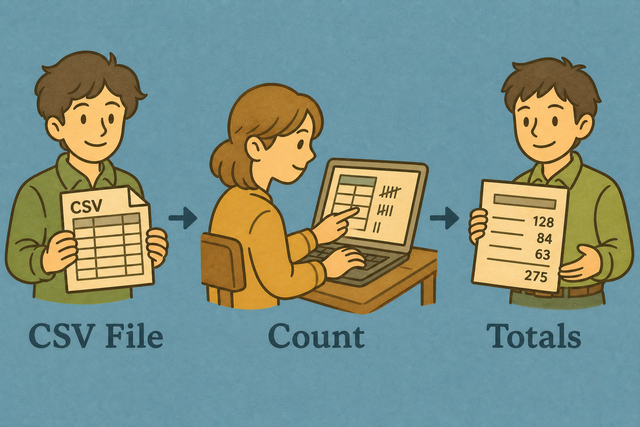
1. Add CSV data
2. Review the count
3. Copy or download the report
Supported format
Add CSV Data
You can paste data, load a file, or use the sample
Parsing Status
No CSV data to parse
You can paste data, load a file, or use the sample
CSV Count Report
The report lists data rows, columns, and header names.
How to count CSV rows and columns
A CSV export can contain more rows or columns than expected. For example, a header plus two records has two data rows, while a quoted value such as "Doe, Jane" remains one field. This page counts the parsed table in your browser, which helps you check its shape before another system reads it.
- You can add your data. Paste CSV or load a file. Local parsing keeps the source available only in this browser.
- You can set the options. Choose the separator and mark the header row when the first line names the fields. Matching the source structure prevents false counts.
- You can review the report. Copy or download the result after the values look right. A saved report makes the count easy to share with a data check.
What CSV data contains
What is CSV?
CSV is a plain text table. Each record uses a line, and separators such as commas, semicolons, tabs, or pipes divide fields. For example, Name,Age,City has three columns, so counting depends on the separator and on quoted fields being read as one value.
CSV count example
Example CSV input
Name,Age,City
Ada,36,London
Lin,29,Taipei
Example report input
Name,Age,City
Ada,36,London
Lin,29,Taipei
Common counting problems
Can leading zeros affect the count?
A value such as "00123" can lose its zeros after a spreadsheet program opens it, but the zeros do not change the row or column count here. Keep the value quoted when it is an identifier, because that preserves its meaning for later checks.
Why does every value appear in one column?
The source may use semicolons or tabs instead of commas. Set Value Separator to the character used between fields, because the parser can count columns only after it recognizes the correct boundary.
What about text encoding?
Text that looks wrong may use a different encoding from the one expected by the browser. Use UTF 8 when the source supports it, because consistent encoding keeps names and symbols readable while you check the data.
Count CSV Rows and Columns FAQ
Does Count CSV Data upload my file?
No. The count runs in your browser, and this page does not send the CSV to a server. Local parsing keeps the source available on your device while you check its structure.
A file with a header and two records therefore produces a data row count of two. The browser still needs enough memory to read the file, so a very large file may respond slowly.
What is counted?
The report counts data rows and columns, and it lists header names when the first row is marked as a header. A header such as Name,Age,City contributes three columns but does not contribute a data row.
The separator matters because commas, semicolons, tabs, and pipes define field boundaries. Choose the separator used by the source so the report reflects the actual table.
Is count different from dimensions?
Both describe the size of a CSV table. Count CSV Rows and Columns focuses on data rows, columns, and headers, while a dimensions check may also describe empty cells or other table properties.
You can use this page for a quick structural count before an import. A matching separator and header setting matter because different parsing choices can produce different dimensions.
Does the count include the header row?
No. The row count covers data rows only when First row is header is selected. The header names appear separately in the report.
For example, a header followed by two records produces two data rows. If the first line is data, clear the header option so that line is counted as a record.
Can I count CSV rows without opening XLSX spreadsheet?
Yes. The counter runs in a browser, so you can paste CSV text or load a CSV file without opening a spreadsheet program. This is useful when you need a quick row count from a plain text export.
The result depends on the selected separator and header setting. Those options matter because the parser must identify each record and field before it can count them.
Why does my count differ from a spreadsheet?
Different counts usually come from a different separator, a header setting, or a quoted line break. For example, a comma inside quoted text is part of one field, not a new column.
Compare the Value Separator and First row is header settings first. This works because both tools must apply the same CSV structure before their row and column counts can agree.