Check CSV Dimensions
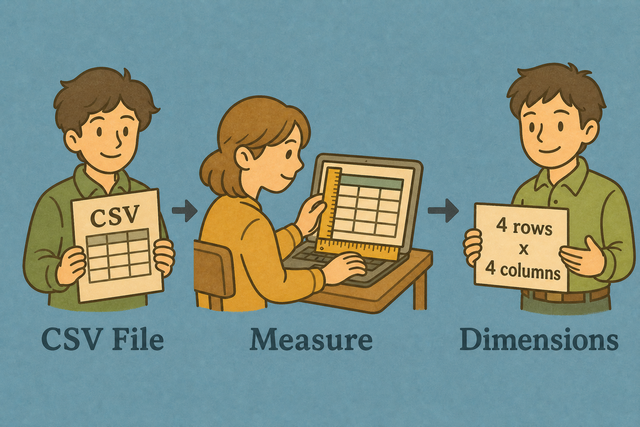
A CSV can look complete while one row has a missing field. For example, a table with three headers should keep three columns in every parsed row. Check CSV dimensions before a conversion or import because the counts reveal width and height problems early.
How Check CSV Dimensions Works
1. Import data
2. Run Check CSV Dimensions
3. Copy or download the result
Supported format
Add CSV Data
You can paste data, upload a CSV file, or view an example
Parse Status
Add CSV data to see the parse status
You can paste data, upload a CSV file, or view an example
CSV Dimensions Report
See the number of rows and columns in a CSV file.
How to use Check CSV Dimensions
You can check CSV Dimensions runs locally. Use it when csv must become csv for an API, spreadsheet, database, or README.
- You can add your data. Paste CSV text or upload a file. Local parsing keeps the source data in this browser.
- You can set the options. Choose the separator and mark the first row as a header when it contains field names. Matching these settings prevents incorrect counts.
- You can review the report. Copy or download the result after the counts match your expected schema. This creates a simple record for the next import step.
What CSV dimensions show
What is CSV?
CSV is a plain text table with fields separated by a comma, semicolon, tab, or pipe. A file can use a different separator from the one you expect, so the same text may appear to have one column until the separator matches. The parser uses the selected separator because it must identify field boundaries before it can count columns.
Sample input and output
Example input
Name,Age,City
Ada,36,London
Lin,29,Taipei
Example output
Name,Age,City
Ada,36,London
Lin,29,Taipei
Common CSV dimension problems
Will leading zeros disappear?
A value such as "00123" can lose its leading zeros after another program opens the CSV. Quoting the value keeps the text intact during parsing, and this tool does not remove those zeros. The receiving program may still apply its own number rules, so checking the source text helps you spot the difference.
Why is everything in column A?
A table can show every value in column A when the file uses semicolons or tabs instead of commas. For example, a line with Name;City needs a semicolon separator. Choose the separator that appears between fields because the parser can then count each column correctly.
What about UTF-8 vs Windows-1252?
Accented characters can look wrong when a CSV uses a different text encoding. For example, a name such as José may appear with incorrect symbols after an encoding mismatch. UTF 8 is usually the clearest choice for shared data because it represents a broad range of characters consistently.
Check CSV Dimensions FAQ
Does Check CSV Dimensions upload my file?
No.
The row and column counts are measured in your browser.
For example, you can check a customer export without sending its contents to a server.
Local parsing keeps the file on this device while the page is open.
Does it include the header row?
The report separates the header row from data rows when First row contains headers is selected.
For example, a file with one header and two records reports two data rows.
This setting works because the parser knows which line names the columns.
Why check CSV dimensions?
A CSV can have the wrong width before an import or merge.
For example, a table expected to have five columns may contain a row with four values.
Checking dimensions exposes that mismatch early, so you can correct the separator or source data before the next step.
What are CSV dimensions?
CSV dimensions describe the parsed number of data rows and columns, along with the header names when a header is present.
For example, a table with two records and three fields has two data rows and three columns.
The report uses parsed fields rather than a simple count of characters or line breaks.
Do quoted line breaks count as extra rows?
No.
A line break inside a quoted field remains part of that cell.
For example, a quoted address can contain two lines while the CSV still has one record.
Parsing the quoted field first gives a more accurate row count than counting every raw line.
Can I check CSV size before importing to a database?
Yes.
The dimensions report shows whether the parsed width matches the expected schema.
For example, a database table with six fields should receive rows that parse into six columns.
Checking the count first helps you find a separator or missing value problem before import.