Decode Base64 into CSV
A Base64 string can hide a simple table, such as a customer list encoded for an API. Decode Base64 into CSV to restore rows and columns, then review the data before you reuse or export it.
How Base64 to CSV works
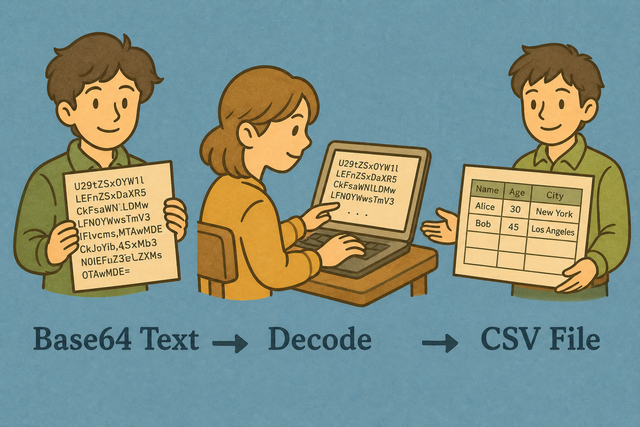
1. Add Base64 text
2. Decode it as CSV
3. Copy or download the result
Supported Formats
Add Base64 text
You can paste Base64 text, upload a file, or view an example
Parsing Status
No data to parse
You can paste Base64 text, upload a file, or view an example
Decoded CSV
The decoded CSV appears here so you can check it before copying or downloading.
How to decode Base64 into CSV
An encoded table is hard to inspect, while the same data in CSV is easy to review. For example, a Base64 value can contain Name,Age followed by rows, but it does not show those columns until it is decoded.
- You can add your data. Paste Base64 or upload a file. The decoder runs in this browser, so the source stays available for local review.
- You can set the options. Choose the separator and indicate whether the first row contains headers. Matching the source structure keeps values in the right columns.
- You can check and export. Review the decoded table, then copy or download it. A quick review catches a wrong separator before the CSV reaches another system.
How Base64 and CSV fit together
What is Base64?
Base64 represents text or binary data with a limited character set. For example, an API can carry a CSV string as one Base64 value, which helps the value pass through systems that treat punctuation specially.
What is CSV?
CSV (comma-separated values) stores one row per line, with fields separated by a chosen character. A file such as Name,Age followed by Ada,36 is easy to inspect because it contains data and columns, not formulas or styling.
Base64 example and decoded CSV
Example input
TmFtZSxBZ2UKQWRhLDM2Example output
Name,Age,City
Ada,36,London
Lin,29,Taipei
Common decoding problems
Will leading zeros disappear?
A value such as "00123" can lose its leading zeros after a spreadsheet program opens the file. Keep the value quoted in the CSV and set the destination column to Text, because those choices preserve an identifier rather than treating it as a number.
Why is everything in one column?
A file can use semicolons or tabs even when the name says CSV. Set Value Separator to the character used between fields, because the decoder can place values into separate columns only when that choice matches the source.
What about UTF-8 and Windows-1252?
Text can look damaged when the source encoding differs from the decoder expectation. UTF-8 is the safer shared choice for accented characters, because the same encoding keeps those characters consistent across data systems.
Base64 to CSV questions
Does Base64 to CSV upload my file?
No.
Decoding happens in your browser, and this page does not upload the Base64 text. A local conversion keeps a customer list or API export on your device while you review the decoded CSV.
What if the Base64 is invalid?
The status box reports an error when the input cannot be decoded.
You can check that the text is complete, remove unrelated wrapping, and try a small sample because missing padding or altered characters can break Base64.
Is this the reverse of CSV to Base64?
Yes.
This page decodes the output produced by CSV to Base64. The two tools handle opposite steps, so the original CSV structure can be restored before you inspect or edit it.
What Base64 encodings are accepted?
The decoder accepts standard UTF 8 Base64 that contains CSV or TSV text.
URL safe Base64 that uses hyphen and underscore can also work, provided the decoded text uses the separator selected above.
Why is my decoded CSV garbled?
The source may use a different text encoding or separator.
Decode a small sample, check whether it is UTF 8, and set Value Separator to comma, semicolon, tab, or pipe so the decoded fields match the source.
Can I decode Base64 CSV without a server?
Yes.
The conversion runs in this browser after the page loads, so the Base64 input and decoded CSV stay on this device. This approach gives you a local result without sending the table to a remote service.