Decrypt CSV Files
An encrypted payload is not readable CSV until the matching passphrase restores it. Decrypt CSV returns comma separated rows that you can inspect or pass to JSON, XML, or SQL tools.
How Decrypt CSV works
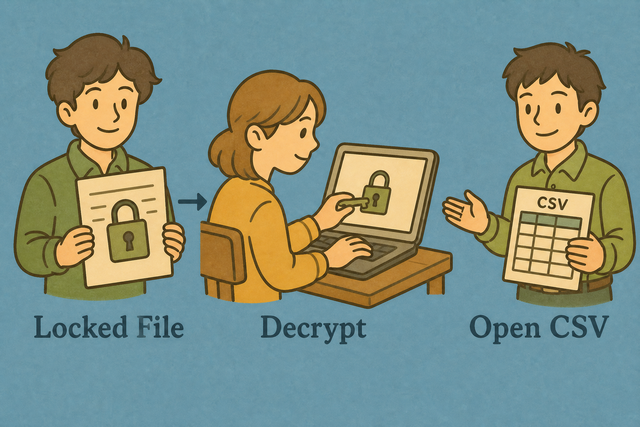
1. Add the payload
2. Decrypt the CSV
3. Copy or download the result
Supported Formats
Add an encrypted payload
You can paste a payload, upload a file, or view an example
Payload status
No payload to decrypt
You can paste a payload, upload a file, or view an example
Readable CSV output
A matching passphrase restores the CSV rows so you can review and reuse them.
How to use Decrypt CSV
An encrypted CSV looks like a block of text instead of a table. For example, a payload from Encrypt CSV becomes useful again only after the same passphrase restores its rows. Decrypt CSV processes that payload in this browser, so the practical result is a readable CSV file for a database, script, or document.
- You can add the payload: Paste the encrypted text or upload the supported text file. The example helps you check the expected format.
- You can check the passphrase: Use the same passphrase that created the payload. Matching values matter because a different passphrase cannot restore the original rows.
- You can review the result: Read the CSV output, then copy it or download it when the rows look correct.
What encrypted CSV and readable CSV are
What is CSV?
CSV, or comma separated values, is a plain text table with one row per line. Fields can use commas, semicolons, tabs, or pipes, and the format carries rows and values rather than formulas or styling. A decrypted payload becomes useful when those rows are restored in this familiar structure.
Sample input and output
Example input
Name,Age,City
Ada,36,London
Lin,29,Taipei
Example output
Name,Age,City
Ada,36,London
Lin,29,Taipei
Common problems with decrypted CSV
Will leading zeros disappear?
A value such as "00123" can lose its leading zeros after another program interprets it as a number. Keeping the value quoted preserves the zeros in CSV, while this tool leaves the decrypted text unchanged.
Why is everything in one column?
The rows may use semicolons or tabs instead of commas. The decrypted text can still be valid, but a reader needs the matching separator to split fields into columns.
What about UTF 8 text?
Accented characters can look wrong when the source used a different text encoding. UTF 8 is a practical choice because it represents a broad range of characters consistently across systems.
Decrypt CSV questions
Does Decrypt CSV upload my file?
No. This page decrypts the payload in your browser, and the file stays on your device while the page is open.
That approach suits private lists and exports because the data does not need to leave your device for the passphrase check.
What passphrase should I use?
You can use the same passphrase that created the payload in Encrypt CSV. The example uses `csvsuite`.
The values must match because decryption can restore the original CSV only from the passphrase used during encryption.
What if decryption looks like garbage?
The passphrase may be wrong, or the payload may not come from Encrypt CSV.
A mismatch changes the restored text, so checking the source tool and passphrase is the most useful first step.
What passphrase does Decrypt CSV need?
Decrypt CSV needs the passphrase used by Encrypt CSV. The demo value is `csvsuite`, and real data should use the value that created the payload.
The same value connects the encrypted payload to its original CSV rows.
Is this bank-grade encryption?
No. This feature provides reversible obfuscation for casual hiding, not strong encryption for sensitive storage.
Sensitive data needs a security method appropriate for its risk, because a simple passphrase based transformation is not a replacement for encryption at rest.
Why did decryption produce garbage?
The passphrase may be wrong, or another tool may have created the payload.
A readable result requires the matching Encrypt CSV method and the same passphrase, so verify both before using the output.