Encrypt CSV Files
CSV is readable plaintext, unlike encrypted payloads APIs and archives sometimes require. CSV files are readable text, so a shared table can expose names, amounts, or other fields. Encrypt CSV creates a passphrase protected payload in this browser when the file needs a locked form instead of an open spreadsheet.
How Encrypt CSV Works
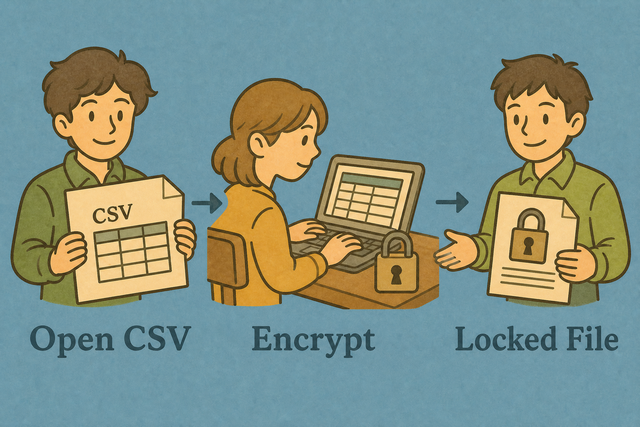
1. Import CSV data
2. Create the encrypted payload
3. Copy or download the result
Supported Formats
Add CSV data
You can add data by pasting, uploading, or using the example
Parsing status
Add CSV data to begin
You can add data by pasting, uploading, or using the example
Encrypted CSV payload
The payload contains the full CSV table and requires the same passphrase to open.
How to encrypt CSV data
A CSV file stays readable as plain text, so a shared export can reveal its rows before another system receives it. For example, a customer list can become a passphrase protected payload in this browser without changing the source table.
- You can add your data. Paste CSV or upload a file. The page processes it in this browser, so the source table stays on your device.
- You can set the separator. Match the delimiter and header setting to your file. Correct parsing keeps each value in the intended field.
- Save the payload. Review the result, then copy or download it. The same passphrase is needed to decrypt the payload later.
CSV encryption basics
What is CSV?
CSV is a plain text table with one row per line and fields separated by commas, semicolons, tabs, or pipes. A file such as Name,Age followed by Ada,36 stores values without formulas or styling, which makes it easy for other tools to read.
CSV encryption example
Input CSV
Name,Age,City
Ada,36,London
Lin,29,Taipei
Encrypted payload
Name,Age,City
Ada,36,London
Lin,29,Taipei
Common CSV issues
Can leading zeros disappear?
A value such as "00123" can lose its leading zeros when a spreadsheet program treats it as a number. Keep the value quoted in the CSV and set the destination column to Text, because encryption preserves the text but does not control later type conversion.
Why does everything appear in one column?
The file may use semicolons or tabs instead of commas. Set Value separator to match the character between fields, because the parser needs the correct delimiter to place each value in its own column.
How should character encoding be handled?
UTF 8 keeps accented characters consistent across many systems, while Windows 1252 can produce garbled text when decoded as UTF 8. Use UTF 8 input when possible, because matching the source encoding prevents damaged names and symbols.
CSV encryption FAQ
Does Encrypt CSV upload my file?
No. The page creates the encrypted payload in this browser, and the file is not sent to a server. For example, a local customer export stays on your device while you create the payload.
The result exists in the page until you copy or download it. This local flow keeps the source table out of a network request, but it does not replace your own storage and access controls.
Is this bank-grade encryption?
No. This is a simple passphrase protected payload for local handling, not a replacement for full disk encryption or an access control system. For example, it can make a CSV less readable during a handoff, but it does not secure the device where the passphrase or file is kept.
You can use a separate security process for sensitive records and treat the passphrase as part of the protection. This distinction matters because the tool protects the payload, not every copy or device that contains it.
How do I open the file later?
You can open Decrypt CSV and provide the encrypted payload with the same passphrase. For example, a downloaded encrypted.txt file can be selected there to recover the original CSV.
The passphrase must match exactly, so keep it with your approved records process. The decrypt step works because it reverses the payload format created by this page.
Where is the encrypted CSV stored?
The payload remains in this browser page until you copy or download it. For example, closing the tab before saving the result can remove the only visible copy.
You can choose a storage location that fits your privacy and access requirements, because this page does not create a separate account or remote file record.
Can I encrypt only one column?
No. This page encrypts the complete CSV table as one payload. For example, a file with Name and Email fields produces one encrypted result rather than a separate result for Email.
A field level workflow needs a tool that changes selected values before encryption. Whole table encryption works here because the payload preserves the CSV as a single recoverable file.
How do I open an encrypted CSV later?
You can paste or upload the payload in Decrypt CSV and enter the same passphrase. For example, the downloaded payload can be restored to CSV there for another system.
You can keep the passphrase available through your normal records process, because a different passphrase cannot recover the original table.