Censor CSV Data
Sensitive CSV values should not appear in JSON, HTML tables, or PDFs. Censor CSV cells with masks so you can still convert and share the spreadsheet shape without leaking the original text.
How Censor CSV Works
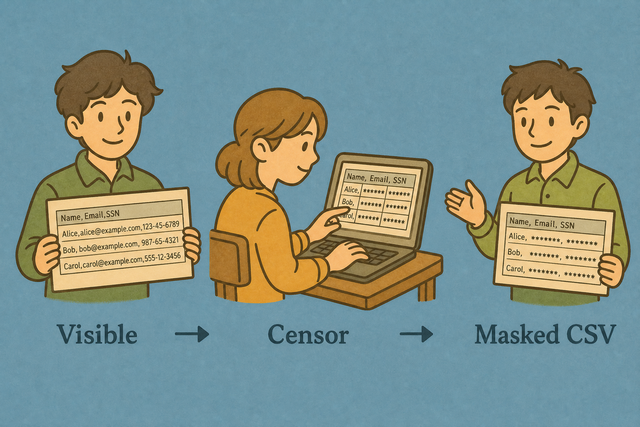
1. Import data
2. Run Censor CSV
3. Copy or download the result
Supported Formats
Import CSV Data
You can paste data, upload a file, or try an example
Parsing Status
No data to parse
You can paste data, upload a file, or try an example
Censored CSV Output
Mask data in a CSV file.
How to use Censor CSV
Censor CSV runs locally. Use it when csv must become csv for an API, spreadsheet, database, or README.
- You can import your data Paste CSV or upload a file. Censor CSV runs entirely in this browser.
- Tune options Set delimiter, headers, and any tool-specific options so the output matches your locale and schema.
- You can export CSV Preview, then copy or download the result. Use related tools in the sidebar for the reverse conversion.
What csv and csv are
What is CSV?
CSV (comma-separated values) is a plain-text table: one row per line, fields split by commas, semicolons, tabs, or pipes. Apps, databases, and XLSX spreadsheet all import it because it has no formulas or styling just columns.
Sample input and output
Example input
Name,Age,City
Ada,36,London
Lin,29,Taipei
Example output
Name,Age,City
Ada,36,London
Lin,29,Taipei
Common problems
Will leading zeros disappear?
CSV keeps zeros if the field is quoted ("00123"). XLSX spreadsheet drops them unless the column is Text. This tool does not strip zeros while converting.
Why is everything in column A?
The file is probably semicolon- or tab-separated. Change Value Separator to match, or use Change CSV Delimiter.
What about UTF-8 vs Windows-1252?
You can paste as UTF-8 when you can. Accented characters that look wrong were usually saved as Windows-1252; re-export as UTF-8 from the source app.
Censor CSV FAQ
Does Censor CSV upload my file?
No. Censor CSV processes the CSV in your browser. Your file is not sent to a server, so the source values stay on your device while you mask and export the result.
Does censoring keep table shape?
Yes. Censoring changes cell text but keeps each row and column position. For example, a name can become asterisks while the separator and row layout remain available for review.
When should I censor instead of anonymize?
Censor CSV fits cases where the original value should be hidden rather than replaced with a realistic substitute. A masked CSV can show the table structure without exposing names, contact details, or identifiers.
What does Censor CSV hide?
Censor CSV replaces cell values with asterisks. The result hides the original text, but you should still review the output because masking is a format change, not a complete privacy assessment.
Can I choose which columns to censor?
Censoring is automatic on this page and does not offer per column selection. A separate extract can contain only the columns you plan to share, which limits the data that reaches the masking step.
Is censored CSV reversible?
No. Masked values cannot be restored from the censored file. Keep the original CSV in a safe local location if you may need the source later.