Clean CSV Files
An export with empty rows or blank columns can leave gaps in a table. For example, a contact export may contain several blank lines after the last record. Clean the CSV first so the table is denser and easier for the next import to read.
How CSV cleaning works
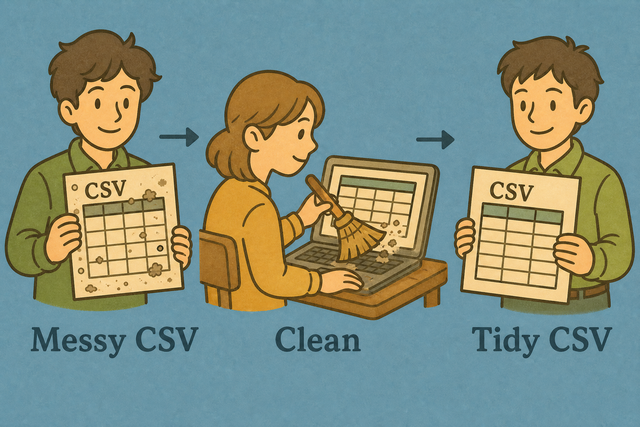
1. Add CSV data
2. Remove empty rows and columns
3. Copy or download the result
Supported Formats
Add CSV data
You can paste CSV text, upload a file, or view an example
Parsing Status
No data to parse
You can paste CSV text, upload a file, or view an example
Clean CSV output
Empty rows and blank columns are removed from the CSV output.
How to clean a CSV file
A CSV with trailing blank lines or unused columns can create import errors. For example, a report may have data in only three columns even though the file declares six. This tool cleans the table in your browser, so you can prepare one consistent CSV without changing its format.
- You can add your data. Paste CSV text or upload a file. The browser reads the data here, which keeps the workflow local.
- You can set the separator. Choose comma, semicolon, tab, or pipe and keep the header option aligned with the first row. Matching the source structure prevents values from shifting into the wrong columns.
- You can review the result. Copy or download the cleaned CSV after checking the preview. A quick review helps catch a separator or header choice that does not match the source.
What CSV is and why cleaning helps
What is CSV?
CSV is a plain text table with one row per line and fields separated by a chosen character. A semicolon separated export can look like one wide field if it is read as comma separated. The selected separator tells the parser where each column ends, which keeps the cleaned table aligned.
Sample input and output
Example input
Name,Age,City
Ada,36,London
Lin,29,Taipei
Example output
Name,Age,City
Ada,36,London
Lin,29,Taipei
Common CSV cleaning problems
Will leading zeros disappear?
A value such as "00123" keeps its leading zeros while this tool parses the CSV. A spreadsheet program may display that value as 123 later, so quoting the field and checking the imported column helps protect its meaning.
Why is everything in one column?
A file that uses semicolons or tabs can appear in one column when the separator is set to comma. Choose the separator used by the source, because matching it lets the parser split each row into the intended fields.
What about UTF 8 text?
Accented characters can look wrong when the source uses a different text encoding. UTF 8 is the safest choice for shared CSV data because it represents a broad range of characters consistently.
Clean CSV FAQ
Does Clean CSV upload my file?
No. The cleaning happens in your browser, so the CSV stays on your device. This suits a contact list or export that needs empty rows removed without sending the file to a server.
Does clean CSV delete unused columns?
Yes. A column with no values is removed from the cleaned CSV. This reduces empty space, which helps a table fit the schema expected by the next import.
Should I clean before converting?
Yes. A table with empty rows and columns can create gaps in the converted result. Cleaning first gives the next converter a denser table and makes the output easier to check.
What does Clean CSV remove?
Clean CSV removes fully empty rows and columns and trims surrounding whitespace in parsed values. It keeps populated values, including quoted commas, UTF 8 text, and quoted leading zeros.
Does cleaning delete duplicate rows?
No. Cleaning does not remove duplicate rows. A duplicate row remains because empty space and duplicate content are different data quality issues.
Can I clean a CSV file online without spreadsheet software?
Yes. You can paste CSV text or upload a CSV file here without a spreadsheet application. The result stays in your browser while you review, copy, or download it.