Deduplicate CSV Rows
Repeated CSV rows can create repeated records after import. For example, two identical customer rows can become two database entries, so removing exact duplicates first keeps the data set consistent.
How CSV deduplication works
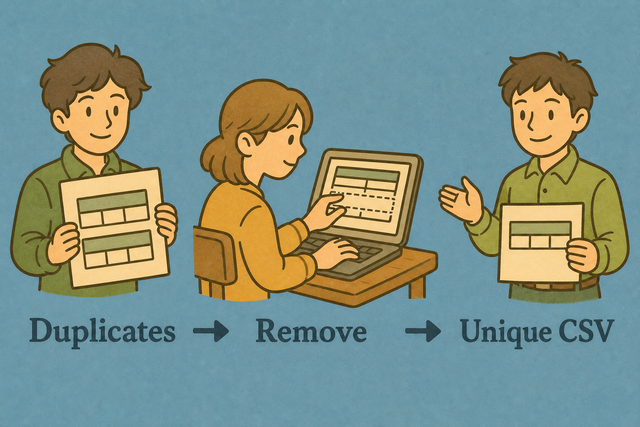
1. Import CSV data
2. Remove exact duplicate rows
3. Copy or download the result
Supported format
Import CSV data
You can paste CSV data, upload a file, or view an example
Parsing status
No CSV data to parse
You can paste CSV data, upload a file, or view an example
Deduplicated CSV output
Exact duplicate rows are removed while the first copy stays in place.
How to deduplicate a CSV file
A CSV with repeated rows can produce repeated contacts, transactions, or inventory items. This tool compares complete rows in your browser, so you can create a cleaner CSV before another system reads it.
- You can import your data Paste CSV into the field or upload a file. Local processing keeps the file in your browser while the rows are compared.
- You can check the structure Select the separator used by the file and keep the header option enabled when the first row contains column names. Matching the source structure prevents commas inside quoted fields from shifting columns.
- You can review the result Read the output, then copy or download it. A quick review helps confirm that the header and row values stayed in the expected order.
What CSV is
What is CSV?
CSV is a plain-text table with one record per line and fields separated by commas, semicolons, tabs, or pipes. A file such as Name,Age,City followed by Ada,36,London is easy to share because it stores values without formulas or visual styling.
CSV deduplication example
Example input
Name,Age,City
Ada,36,London
Lin,29,Taipei
Example output
Name,Age,City
Ada,36,London
Lin,29,Taipei
Common CSV problems
Will leading zeros disappear?
A value such as "00123" can lose its zeros when a spreadsheet program treats it as a number. Keep the value quoted in the CSV, because this tool preserves the text while it parses and writes the row.
Why is everything in one column?
The selected separator may differ from the file separator. For example, a semicolon CSV can appear in one column when Comma is selected, so Value Separator should match the source file.
What about UTF-8 text?
Accented text can look incorrect when the file uses a different character encoding than expected. UTF-8 is a practical choice for shared CSV files because it supports a wide range of characters consistently.
CSV deduplication FAQ
Does Deduplicate CSV upload my file?
No. The rows are compared in your browser, and the page does not upload the CSV file. For example, a customer export can be deduplicated here without leaving the device. Local processing keeps the file available only to you while the page is open.
What counts as a duplicate?
A duplicate is a complete row that matches another complete row in every column. For example, two rows containing Ada,36,London are duplicates, while Ada,36,Paris is different. Comparing the full row avoids removing records that share only one value.
Is the first copy kept?
Yes. The first occurrence remains, and later exact copies are removed. For example, if the same order appears three times, the output keeps the first row in its original position. This preserves the order of the source CSV while reducing repetition.
How are duplicate CSV rows detected?
The tool compares the parsed values in each complete row. Two rows are duplicates when every field matches after the selected separator is applied. This method treats a comma inside quoted text as part of that field instead of as a new column.
Does it keep the first or last duplicate?
It keeps the first duplicate and removes later exact copies. For example, the first row for a repeated customer stays where it appeared in the source file. This makes the output order predictable and avoids replacing earlier values with later copies.
Can I dedupe on one column only?
This page compares complete rows, not one selected column. If email addresses define uniqueness, a separate step can isolate that key before you use this tool. Full-row comparison is safer here because it does not remove rows that share one value but contain different details.