Compare CSV Files Online
Two similar CSV files can hide a changed price, missing record, or extra row. Compare the files before an import so you can review differences while the original data remains clear.
How the CSV comparison works
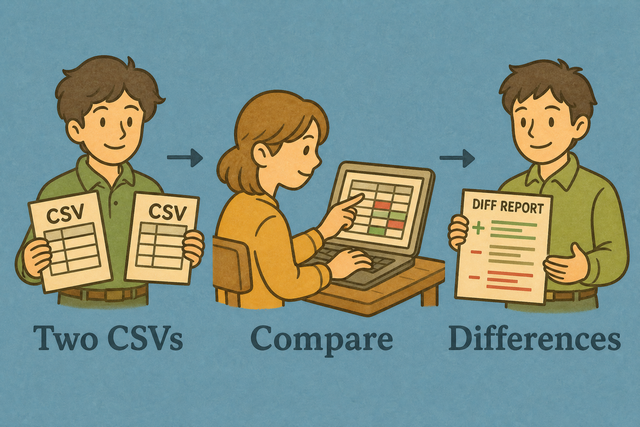
1. Add two CSV files
2. Review rows line by line
3. Copy or download the report
Supported format
Add two CSV files to compare
You can paste each file, upload it, or load the example
Parsing Status
Add data to see parsing status
CSV comparison report
Added rows and removed rows appear in a readable line by line report.
How to compare CSV files
A revised customer list can contain one missing row or a changed value that is hard to spot by reading two files. Compare CSV Files runs in your browser, so you can review the source files before an import or handoff.
- You can add both files Paste CSV text or upload each file. Local comparison keeps the data in your browser while you review it.
- You can match the format Set the separator and header option to match the files. Correct parsing keeps commas inside quoted fields from becoming new columns.
- You can review the report Copy or download the result after checking the marked rows. A saved report gives you a record of the differences.
CSV comparison basics
What CSV contains
CSV is a plain text table with one row per line and fields separated by a delimiter. A file may use commas, semicolons, tabs, or pipes, so the selected separator must match the source for each row to parse correctly.
CSV comparison example
File A
Name,Age,City
Ada,36,London
Lin,29,Taipei
File B
Name,Age,City
Ada,36,London
Lin,29,Taipei
Common comparison problems
Can leading zeros disappear?
A code such as "00123" can lose its first zeros when another program treats it as a number. Quoted fields keep those characters during parsing, so compare the files before an import that may change their type.
Why is all data in one column?
The file may use semicolons or tabs instead of commas. Set Value Separator to the delimiter in the source file because matching separators lets the parser place each field in its intended column.
What if the character encoding is wrong?
Accented characters can look incorrect when the source and reader use different encodings. UTF-8 is a practical common choice because it represents a wide range of characters consistently across data tools.
Compare CSV Files questions
Does Compare CSV Files upload my files?
No. The comparison runs in your browser. For example, you can compare two customer exports without sending their rows to a server.
You can paste or upload both files and review the report on this page. Local processing keeps the source data on your device while you check the differences.
Is this a visual row-by-row diff?
Yes. The report marks added and removed lines so a changed row is easy to locate. For example, a new record appears as an added line while a missing record appears as a removed line.
The comparison uses the parsed rows and shows the resulting line differences. Check the separator and header setting first because correct parsing makes the visual result meaningful.
Can I compare two XLSX spreadsheet sheets?
Yes, when each sheet is exported as CSV first. For example, two versions of a worksheet can be saved as separate CSV files and compared here.
CSV contains values and rows, not workbook formulas or styling. Exporting each sheet to the same delimiter gives this tool comparable plain text data.
How are two CSV files compared?
The page parses File A and File B, then compares their rows in order. For example, a changed value in the second row appears as a difference in the report.
You can set the separator and header option to match both files before reviewing the output. Matching parsing rules prevents formatting differences from being mistaken for data changes.
Does Compare CSV ignore column order?
No. Columns are compared in their current order. For example, moving City before Name can make otherwise similar rows appear different.
Place the columns in the same order before comparison. This keeps the report focused on changed values rather than a schema rearrangement.
Can I compare CSV files of different sizes?
Yes. Rows that exist in only one file appear as differences. For example, a newer export with two extra records shows those records as added lines.
Different row counts do not prevent comparison. Review the extra lines and confirm that both files use the same header and separator settings.