Merge CSV Files Online
Two CSV exports can hold the same fields but different rows. For example, a January customer export and a February export can share Name and Email while one file also has Region. This tool matches shared headers, adds extra columns, and creates one CSV table for the next system.
How CSV merging works
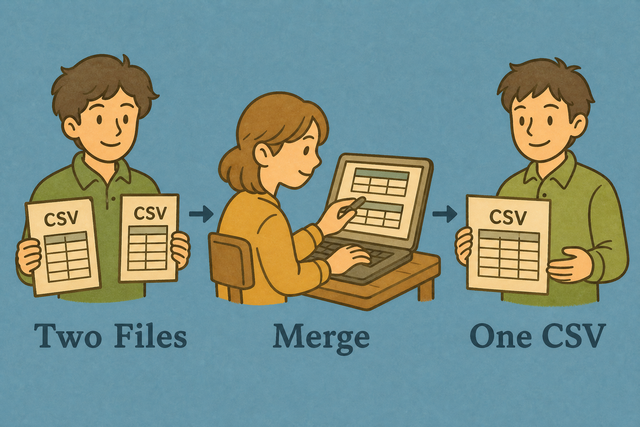
1. Add two CSV files
2. Match columns by header
3. Download one table
Supported format
Add CSV files to merge
You can paste data, upload a file, or view an example
Parsing status
No CSV data yet
Merged CSV output
Shared headers line up, and rows from both files appear in one CSV table.
How to merge CSV files
Two exports often contain the same headers but separate rows. A sales file for one week and another file for the next week are useful together, but separate files slow down review and import. This tool combines rows by matching header names, so the resulting table keeps a clear column structure.
- You can add File A and File B by pasting CSV text or uploading each file. The two boxes keep the sources separate while the tool reads their headers.
- You can check the separator and headers before reviewing the output. A comma, semicolon, tab, or pipe must match the source so values such as an address remain in the correct cell.
- You can review and download the merged table. Shared headers align, while columns found in only one file stay blank for rows from the other file. This makes the column mapping visible before another system imports the CSV.
What CSV files contain
What is CSV?
CSV is a plain text table with one row per line and a separator between fields. For example, Name,Age stores two columns without formulas or visual styling. The simple structure works across data tools, databases, and scripts because each value has a clear position in the row.
Why headers matter during a merge
A header gives each column its name, such as Email or Order ID. When two files use the same header, the merge places their values in one column. Consistent names prevent a shared field from becoming two separate columns.
CSV merge example
Input files
Name,Age,City
Ada,36,London
Lin,29,Taipei
Merged output
Name,Age,City
Ada,36,London
Lin,29,Taipei
The example has matching headers, so both rows use the same three columns. If File B also had a Country header, the output would add Country and leave it blank for File A rows.
Common CSV merge problems
Can I combine more than two CSVs?
The page accepts two files at a time. Merge two files, download the result, and use that result as File A for the next merge. This repeated process keeps each added file easy to check.
Will leading zeros disappear?
CSV text can retain a value such as "00123", but a spreadsheet program may display it as 123 after opening the file. Keep identifiers as text in the next system because that preserves their meaning.
Why is everything in one column?
The selected separator may not match the source. A semicolon separated file read as comma separated text can place the whole row in one cell. Match Value separator to the source before merging.
What about UTF 8 and Windows 1252?
Characters such as é and ñ depend on the file encoding. UTF 8 is usually the clearest choice for exchange, while text saved with another encoding can show incorrect characters. A UTF 8 source prevents those characters from changing during parsing.
Merge CSV files FAQ
Does Merge / Combine CSV Files upload my files?
A common concern is whether a customer list leaves your device during a merge. This page reads File A and File B in your browser, so the page can create the result without sending the CSV contents to a server. Your files stay on the device while you work.
The process works because parsing and output generation happen in the browser. You can paste data or upload local files, then copy or download the merged CSV when the result looks correct.
How are columns matched?
Two files may share Email and Name but use different column orders. The merge matches headers by name, so those fields align even when their positions differ. A column that appears in only one file is added to the output.
This method keeps related values under one header and makes missing values visible as blank cells. Check spelling and capitalization in the headers because different names represent different columns.
Can I merge more than two CSVs?
The tool combines two files in one pass, while a project may contain several exports. You can merge two files, download the result, and merge that result with the next file.
This staged method keeps each output easy to review and makes it easier to find which source introduced an unexpected column or row.
How do I combine CSV files?
A useful example is a weekly export that needs to join the previous week in one table. Add the two CSV files, select the separator used by the source, confirm the header setting, and review the output.
The result appends rows and aligns shared headers. Copying or downloading the table gives the next system one consistent CSV file instead of separate exports.
How are two CSV files combined?
The merge compares the header row in File A with the header row in File B. Shared names use one output column, and extra columns from either file are included with blank cells where a source has no value.
This structure preserves each row while keeping the schema visible. It is a row append, not a join that matches records by an ID.
Does merge append rows or join on a key?
The merge appends rows from both files and uses the union of their columns. For example, two rows with the same Customer ID are still kept as two rows.
This behavior suits exports that need to be stacked, but it does not remove duplicates or match records by a key. A separate comparison or deduplication step is needed when record matching is the goal.
Can I merge CSV files with different delimiters?
A comma file and a semicolon file do not parse the same way if one separator is selected for both. Choose the separator that matches the files you are reading, then add the cleaned tables to File A and File B.
A matching separator keeps commas inside quoted fields, such as an address, from becoming new columns. If the sources use different separators, parse them separately before combining their normalized text.