Fill Empty CSV Cells
A blank CSV cell can become an empty field in JSON or a missing value in a database import. Fill empty CSV cells with a clear placeholder so each row keeps the expected shape and your downstream data stays easier to review.
How filling CSV cells works
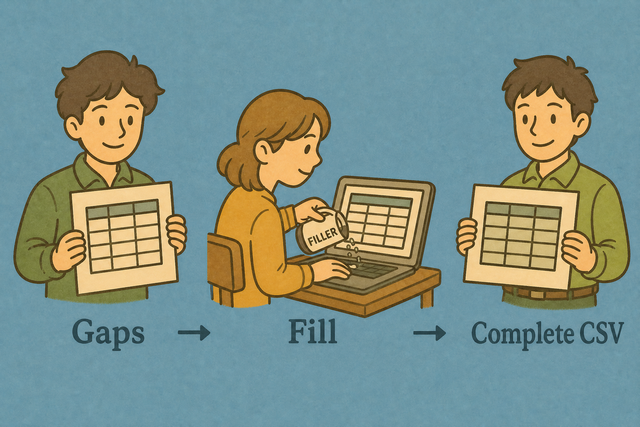
1. Add CSV data
2. Choose a fill value
3. Copy or download the result
Supported Formats
Add CSV data
You can paste data, upload a file, or use an example
Parsing status
Waiting for CSV data
You can paste data, upload a file, or use an example
Completed CSV output
Empty cells receive the value you choose. Existing values stay unchanged.
How to fill empty CSV cells
A row with a blank City field can fail a required import even when the rest of the CSV is valid. This browser tool fills empty CSV cells locally, which keeps the file in the CSV format while making missing values visible.
- You can add your data. Paste CSV or upload a file. Local processing keeps the source data in this browser.
- You can choose the settings. Match the separator, identify the header row, and enter the value that should replace empty cells. Matching the source structure prevents shifted columns.
- You can check the output. Copy or download the completed CSV after you review a few rows. A quick review catches an incorrect separator or an unsuitable placeholder.
CSV format and empty cells
What is CSV?
CSV is a plain text table with one row per line and fields separated by commas, semicolons, tabs, or pipes. For example, Name,Age,City can contain a blank City value without changing the column order. Its simple structure helps different tools exchange tabular data.
Example of filled CSV input and output
Input with an empty cell
Name,Age,City
Ada,36,London
Lin,29,Taipei
Output with the fill value
Name,Age,City
Ada,36,London
Lin,29,Taipei
Common CSV cell problems
Will leading zeros disappear?
A value such as "00123" can lose its leading zeros after a spreadsheet program opens it. CSV parsing here keeps the characters, but the receiving program may change the display, so a ZIP code column can need Text formatting there.
Why is everything in one column?
The file is probably semicolon- or tab-separated. Change Value separator to match, or use Change CSV Delimiter.
What about UTF 8 and Windows 1252?
A name such as José can look wrong when the source uses Windows 1252 and the file is read as UTF 8. Use UTF 8 when the source supports it, because one shared character encoding keeps accented text consistent across imports.
Fill empty CSV cells FAQ
Does Fill Incomplete CSV upload my file?
No. The tool fills blank CSV cells in your browser. Your file is not sent to a server.
You can add data by pasting it, uploading a file, or using the example. Choose the separator and header setting that match the source, because the parser then keeps fields in the right columns.
A value such as "00123" stays unchanged while this page parses the CSV. A spreadsheet program can still change how leading zeros appear after you open the downloaded file.
Can I choose the placeholder?
Yes. Enter any value in Fill value, such as N/A, unknown, or 0. The selected text replaces empty cells, so the output can match the meaning expected by the next system.
Existing values stay unchanged. Review a few rows before you copy or download the result, because a placeholder should describe missing data rather than hide a data quality issue.
Why fill incomplete CSV?
A blank field can cause an import to reject a row or create an incomplete record. For example, a missing status value can make a required column unusable even when the other fields are present.
A selected placeholder gives each empty cell an explicit value while preserving the row and column layout. This works because downstream tools receive a consistent table that is easier to validate.
What value fills empty CSV cells?
The value in Fill value fills each empty cell. The default is N/A, and you can replace it with text or a number that fits your data.
You can choose a value that has a clear meaning in the receiving system. A review matters because zero, N/A, and unknown can represent different business conditions.
Does Fill CSV overwrite existing values?
No. Only empty CSV cells change. A row such as Ada,36,London keeps all three existing values, while a blank field receives the selected fill value.
This behavior protects source data while making missing fields explicit. A quick comparison of input and output helps confirm that the change is limited to blanks.
Can I fill with zero instead of N/A?
Yes. Set Fill value to 0 before the output is created. Empty cells receive 0, while existing values stay as they are.
Zero is suitable only when it represents the meaning of a missing value in your data. N/A or another text value is clearer when zero would be mistaken for a measured amount.