Fix Broken CSV Files
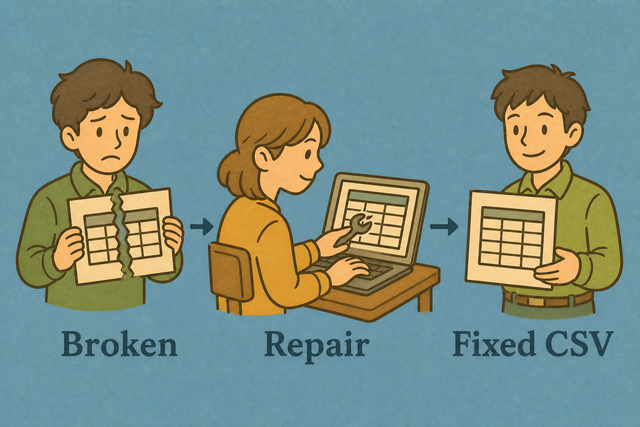
A row with fewer cells than the others can shift values into the wrong columns. For example, a missing city value can make an age appear under City. Fix Broken CSV fills the missing cells so every row has a consistent width before you export the file.
How Fix Broken CSV Works
1. Import your data
2. Fix the row width
3. Copy or download the result
Supported Formats
Import CSV to Fix
You can add CSV data, upload a file, or view an example
Parsing status
No data is ready to parse
You can add CSV data, upload a file, or view an example
Fixed CSV output
The output keeps each row aligned to the selected header width.
How to fix a broken CSV
Uneven rows can break imports because each record no longer has the same columns. For example, a missing value may place the next value under the wrong heading. Fix Broken CSV runs locally and fills or trims cells to the selected row width, which keeps the exported CSV aligned.
- You can add your data Paste CSV text or upload a file. The parser reads the data in this browser, so the source file stays on your device.
- You can set the format Choose the separator and mark the first row as a header when it contains column names. These settings help the parser measure each row correctly.
- Save the result Review the fixed CSV, then copy it or download it. A consistent row width makes the next import easier to check.
CSV row width and structure
What is CSV?
CSV is a plain text table with one record per line and fields separated by a comma, semicolon, tab, or pipe. A row such as Ada,36 has fewer fields than Lin,29,Taipei, so an importer cannot place both records in the same columns. This tool fills the missing field or trims an extra field to match the header width, which keeps the table rectangular without adding formulas or styling.
Sample input and output
Example input
Name,Age,City
Ada,36,London
Lin,29,Taipei
Example output
Name,Age,City
Ada,36,London
Lin,29,Taipei
Common problems
Will leading zeros disappear?
A code such as "00123" can lose its first zeros when a spreadsheet program treats it as a number. Keep the value quoted in the CSV and set the destination column to Text, because this tool does not remove zeros during conversion.
Why is everything in one column?
A file that appears in one column usually uses semicolons or tabs instead of commas. Set Value Separator to the separator used in the source, because the parser can split fields only when that setting matches the data.
What about UTF 8 and Windows 1252?
Accented characters can look wrong when the source uses Windows 1252 and the text is read as UTF 8. Use UTF 8 from the source when possible, because the same character encoding across export and import prevents replacement symbols.
Fix Broken CSV questions
Does Fix Broken CSV upload my file?
No. The CSV is parsed in your browser, so the file is not sent to a server. This keeps your data on your device while you fill missing cells and download the result.
How does it repair broken CSV?
The tool compares each row with the header width and fills missing cells or trims extra cells. For example, a two field row becomes a three field row when the header has three columns, which keeps values in consistent positions.
Will it fix unclosed quotes?
It fixes row width, but it does not reliably repair severe quote damage. A field with an unclosed quote can change how later separators are read, so the source text may need a manual correction before you use the output.
What does Fix CSV repair?
It repairs uneven row lengths by matching rows to the header width. This helps spreadsheets, databases, and other CSV readers place each value under the intended column.
Will Fix CSV guess missing quotes?
No. The tool can normalize row width, but it cannot know where a missing quote should start or end. Review damaged fields in the editor when quotation marks are incomplete.
Should I validate after fixing?
Yes. Open Validate CSV on the downloaded file and check the reported row widths. Validation provides a separate check that the repaired structure is ready for the next import.