Custom CSV Generator
A test import may need 20 rows and 4 columns, while a sample dataset may need a different shape. Set the exact row and column count here, review the generated CSV, and use the result in a parser, database test, or data example.
How Custom CSV Generation Works
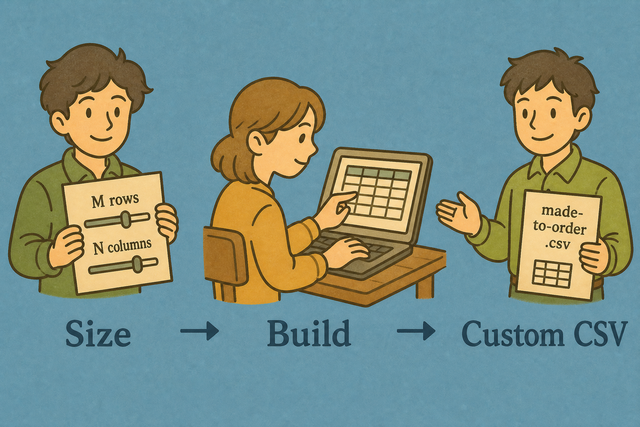
1. Set rows and columns
2. Create the CSV
3. Copy or download the result
Output format
Set CSV Dimensions
A 5 row by 3 column sample can support a small parser test, while a larger fixture needs a different shape. The rows and columns are created in your browser, so the generated content stays in this page.
Generation status
No CSV generated yet
You can paste CSV, upload a CSV file, or use an example. The source helps populate the generated grid.
Generated Custom CSV
Create a CSV with the row and column count you specify, then review and download the result.
How to use the Custom CSV Generator
A test fixture may need a fixed 3 by 2 shape, but a source file may contain a different number of rows or columns. The Custom CSV Generator creates that shape in your browser, which keeps the method simple and keeps the generated content on this page.
- You can set the dimensions. Enter the row and column counts that your sample or test needs. Exact dimensions prevent a fixture from failing because its shape is wrong.
- You can review the source. Use an example or upload CSV data when you want values in the grid. A quick review makes missing fields and unexpected separators easier to spot.
- You can export the CSV. Copy or download the result after checking its rows and columns. This gives the next parser or import step a predictable file.
What CSV is and how the generated file helps
What is CSV?
A CSV file stores a table as text, with one row on each line and fields separated by a delimiter such as a comma. For example, Name,Age,City stores three columns without formulas or visual styling, so parsers and data tools can read the values directly.
Sample CSV input and output
Example input
Name,Age,City
Ada,36,London
Lin,29,Taipei
Example output
Name,Age,City
Ada,36,London
Lin,29,Taipei
Common CSV problems
Will leading zeros disappear?
A value such as "00123" can lose its leading zeros after a spreadsheet program opens it. The generator does not strip the zeros, so keeping the field quoted helps preserve the intended text value.
Why is everything in one column?
A file that uses semicolons or tabs can appear in one column when a reader expects commas. The separator must match the source file, because the reader uses it to identify each field.
What about UTF 8 and Windows 1252?
Accented text can look incorrect when a file uses a different character encoding from the reader. UTF 8 is a practical choice for new CSV files because it represents a broad range of characters consistently.
Custom CSV Generator FAQ
Does the custom CSV generator upload data?
No. The generator creates rows and columns in your browser, so the generated CSV is not sent to a server. This matters when a sample contains internal names or identifiers that should remain on your device.
A 5 row by 3 column example is created in the page, then you can copy or download it. The local process keeps the file available for your next test without requiring an account or a separate application.
Can I make any grid size?
You can choose the row and column counts accepted by the fields on this page. For example, a 20 row by 4 column fixture gives a parser a predictable shape, while a smaller grid works for a quick example.
You can enter the dimensions that match your test or import. The exact shape helps because a downstream process can receive the number of fields and rows it expects.
Are values unique?
The example values are sample names and numbers, and they are not a guarantee of uniqueness. A repeated value can occur because the generator focuses on producing a usable grid rather than a unique identifier system.
You can use the generated CSV for layout checks, demonstrations, and parser tests. Create your own identifiers when uniqueness affects your data model, because only your rules can define a valid unique value.
Can I name custom CSV columns?
The generator creates the grid dimensions you choose, but it does not provide a separate column naming workflow. A header row such as Name,Age,City can supply column names when your CSV needs them.
You can add or revise header values in a CSV editor after generation when the receiving system requires specific names. This keeps the generated shape separate from the schema rules of the next tool.
Is custom CSV created on a server?
No. The rows are created in this browser tab and the page does not upload them as part of generation. Local creation gives you a clear view of where the generated content exists.
You can choose the dimensions, create the CSV, and then copy or download it. The result remains available on your device, which is useful for private test data and repeatable local checks.
What is custom CSV useful for?
A custom CSV helps when a parser, import test, form mockup, or documentation example needs a fixed table shape. A 3 row by 2 column file, for example, can show the expected fields without the noise of a full dataset.
You can set the dimensions and review the sample values before export. A predictable row and column count makes the file easier to compare with the schema or input expected by the next step.