Large CSV File Generator
Small test files can hide slow imports or parser errors. A 500 row CSV with six columns gives you a repeatable sample for checking an import before real data is involved.
How large CSV generation works
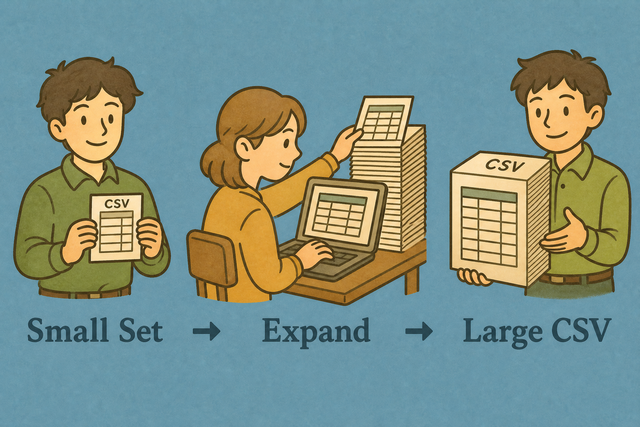
1. Choose rows and columns
2. Generate the CSV
3. Copy or download the result
Supported format
Large CSV settings
The rows and columns are created in your browser. Your input is not uploaded.
Generation status
No CSV generated
You can use an example or add a CSV file for context
Generated large CSV
The generated CSV uses the row and column counts above.
How to use the large CSV generator
A short CSV can miss problems that appear in a larger import. For example, a parser may handle ten rows but slow down with 500 rows, so this tool creates a larger CSV in your browser for a controlled test.
- You can set the size. Choose the number of rows and columns. These values define the test volume.
- You can review the input. Select Example or add a CSV file when you need a familiar sample. This keeps the test easy to repeat.
- You can export the CSV. Copy the result or download it after generation. The file stays useful because it keeps the standard CSV structure.
What CSV is
What is CSV?
CSV, or comma separated values, is a plain text table with one row per line and fields separated by commas. For example, Name,Age,City stores three columns without formulas or styling, so parsers can read the structure consistently.
Sample input and output
Example input
Name,Age,City
Ada,36,London
Lin,29,Taipei
Example output
Name,Age,City
Ada,36,London
Lin,29,Taipei
Common CSV problems
Will leading zeros disappear?
A value such as "00123" can lose its first zeros when a spreadsheet treats it as a number. Keep the value quoted and set the destination column to Text, because CSV stores the characters while spreadsheet software may infer a number.
Why is everything in one column?
A file with semicolons or tabs can open as one column when the reader expects commas. Match the separator to the source file, because the parser needs the same delimiter to find each field.
What about UTF 8 and Windows 1252?
Accented text can look wrong when the source uses Windows 1252 and the reader expects UTF 8. Save or export the source as UTF 8 when possible, because the same character encoding lets the reader decode each byte correctly.
Large CSV generator FAQ
Does the large CSV generator upload data?
No. The generator creates rows in this browser tab. Your input and the generated CSV stay on this device because the page does not send them to a server.
For example, you can create a 500 row file for an import test without using production records. Copy or download the result after generation, because local processing keeps the test data in your control.
How large can the file be?
The practical size depends on available browser memory and the number of columns. A file with hundreds or thousands of rows may work well, while a much larger file can make the tab less responsive.
You can start with a smaller row count and increase it while the tab remains responsive. This approach shows where your device reaches its limit without assuming a fixed file size.
What is a large CSV used for?
A large CSV helps test parsers, imports, and performance with more realistic volume. For example, a 500 row file can reveal issues that a two row sample does not show.
You can choose rows and columns that match the case you want to test, then copy or download the generated CSV. The controlled size makes repeated tests easier to compare.
How large a CSV can I generate?
The generator can create as many rows as your browser memory can handle. The usable amount also depends on column count and the size of each value.
Begin with hundreds of rows and increase the count gradually. A gradual increase helps you keep the tab responsive and identify a practical size for your device.
Why generate a large CSV?
A larger test file supports importer checks, load tests, and demonstrations that need more than a few sample rows. For example, repeated records can expose row handling and timing problems before a real import.
You can set a row and column count that represents the test case, then review the output before downloading it. A defined input makes the result repeatable and keeps the test focused.
Will a large generated CSV freeze my phone?
A very large file can make a phone tab slow or unresponsive because generation uses browser memory. A smaller example, such as 100 rows, is easier to review on a phone.
Increase the row count gradually or use Split CSV for a large result. This reduces the amount held in one tab and gives the device more room to respond.