Random CSV Generator
A blank table makes parser and import testing difficult. This random CSV generator creates sample names, cities, and numbers, so you can test CSV workflows without using real customer data.
How the Random CSV Generator Works
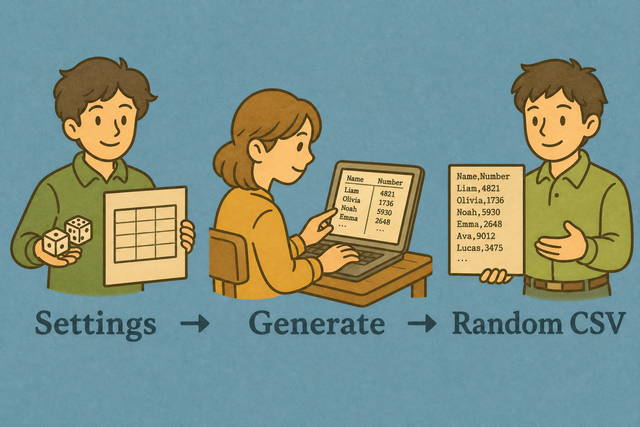
1. Set the size
2. Create sample rows
3. Download the CSV
Supported Formats
CSV Generator Settings
Rows and columns are created in your browser. The generated file stays on this device.
Parsing Status
No CSV data is ready to parse
You can use an example or add CSV data to preview it
Generated Random CSV File
Create sample CSV rows with the size you need.
How to create a random CSV file online
A test import often needs rows before real data is available. This random CSV generator creates a small sample for an API, spreadsheet, database, or README, which makes early checks safer.
- You can choose size Set rows and columns for a sample people table.
- Generate The file is created in this tab, so nothing is uploaded.
- You can download Save random.csv or edit it in the homepage spreadsheet.
What CSV is and how it works
What is CSV?
CSV (comma-separated values) is a plain-text table with one row per line. Commas, semicolons, tabs, or pipes separate fields, so a consistent separator helps other tools read each column correctly.
Sample input and output
Example input
Name,Age,City
Ada,36,London
Lin,29,Taipei
Example output
Name,Age,City
Ada,36,London
Lin,29,Taipei
Common CSV problems
Will leading zeros disappear?
CSV keeps zeros if the field is quoted ("00123"). XLSX spreadsheet drops them unless the column is Text. This tool does not strip zeros while converting.
Why is everything in column A?
A file with one long column often uses semicolons or tabs instead of commas. Set Value Separator to the file delimiter, because matching separators lets the parser split fields into columns.
What about UTF-8 vs Windows-1252?
Accented characters can look wrong when a file uses Windows-1252 instead of UTF-8. Saving the source as UTF-8 keeps the same character encoding across imports.
Random CSV Generator FAQ
Does the random CSV generator upload data?
No. Sample names and numbers are created in your browser, so the generated CSV stays on this device.
A test file often contains names, cities, or numbers that should remain local. This generator creates synthetic rows in the browser, which avoids sending sample data to a server. Set rows and columns, then download or copy the CSV when the preview matches your test.
Can I choose how many rows?
Yes. Set Rows and Columns before generating the file, so the sample matches the size your test needs.
A parser or import check can fail when a sample has too few or too many rows. Choosing the row and column counts here gives you a predictable CSV for repeatable testing.
Is this good for software tests?
Yes. Synthetic rows work well for parser checks, import previews, demos, and unit tests.
Real customer data can expose private information during testing. Random names, cities, and numbers provide a safer way to check CSV handling while keeping production data out of the sample.
How do I create a CSV file online?
You can set the row and column counts, generate sample data, and download the CSV. The file is created in your browser.
A blank file cannot test an import until it has a consistent table. This generator adds sample rows locally, so you can check the header, separator, and column count before another tool reads the file.
What columns are in the random people CSV?
The sample uses name style fields, cities, and numbers for basic parser and table tests.
A test table needs recognizable values to show whether columns split correctly. The generated people data gives you varied text and numeric cells without using real personal records.
Can I use random CSV data in production?
No. The values are synthetic and should not represent real personal data.
Production workflows need verified records, stable identifiers, and the correct business meaning. Use this generator for tests and demos because synthetic rows can reveal format problems without standing in for live data.
Does the generator work without JavaScript downloads?
The page needs to load once. After that, generation stays on this device while the page remains available.
Creating rows and downloading the CSV require the page code to run in your browser. Once it has loaded, the generator can create the file locally, so sample data does not need to travel to a server.