CSV to HTML Table Converter
A CSV file can hold a clean grid while a webpage needs table markup. Convert CSV to HTML when a page, email, or document needs a readable table instead of a spreadsheet file.
How CSV to HTML works
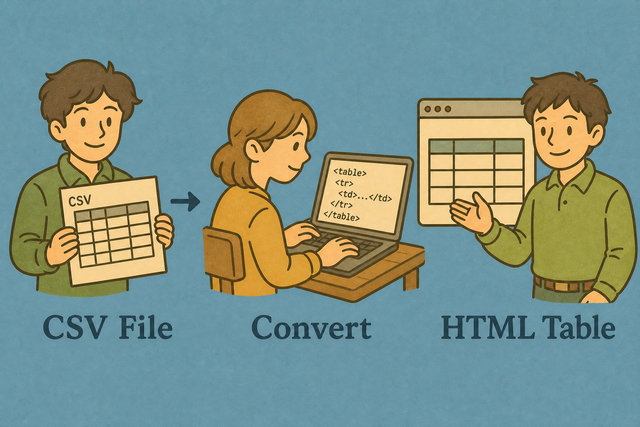
1. Add CSV data
2. Create the HTML table
3. Copy or download the result
Supported Formats
Add CSV data
You can paste CSV data, upload a file, or view an example
Parsing status
No CSV data yet
You can paste CSV data, upload a file, or view an example
HTML table output
The generated table markup appears here.
How to use the CSV to HTML converter
A CSV export such as Name,Age,City is easy to share as data, but a webpage needs HTML table markup. This converter creates that markup in your browser, so you can review the original values before using the result.
- You can add your data Paste CSV text or upload a file. Local parsing lets you review the source before conversion.
- You can set the options Choose the separator and indicate whether the first row contains headers. These settings keep the table structure aligned with the source.
- You can export the table Review the markup, then copy or download it. A quick review helps catch a wrong separator or header setting.
CSV and HTML in practical terms
What is CSV?
CSV is a plain text table format. A row such as Ada,36,London contains fields separated by a comma, while semicolons, tabs, and pipes can separate fields in other files. The format stores values rather than page layout, which makes it useful for moving tabular data between tools.
What is HTML?
HTML tables use table, thead, tbody, tr, th, and td elements to present a grid on a page. This converter places CSV values into those elements, so the result can be reviewed as markup and styled by the page that receives it.
CSV to HTML example
Example input
Name,Age,City
Ada,36,London
Lin,29,Taipei
Example output
<table><tr><th>Name</th><th>Age</th></tr><tr><td>Ada</td><td>36</td></tr></table>Common CSV to HTML problems
Will leading zeros disappear?
A value such as "00123" can lose its first zeros when another program treats it as a number. Keep the value quoted in the CSV and check the generated table, because this converter preserves the text it parses.
Why is everything in one column?
The file is probably semicolon- or tab-separated. Change Value separator to match, or use Change CSV Delimiter.
Why do some characters look wrong?
Text such as é or 中 can look wrong when the source encoding differs from the text you paste. Use UTF 8 data when possible, because a shared encoding keeps accented and non Latin characters readable.
CSV to HTML questions
Does CSV to HTML upload my file?
No. The table is generated in this browser tab. Your CSV stays on your device during conversion, which helps you review sensitive rows before you copy or download the result.
A file such as customer names or postal codes still needs the correct separator and encoding. Select the separator that matches the source, keep the header option on when the first row names columns, and check the preview because those settings preserve the table structure.
Can I paste the HTML into a webpage?
Yes. The result is an HTML table that you can paste into a page or email. For example, a CSV row named Ada,36,London becomes cells inside a table, so the receiving page can apply its own layout and styles.
You can review the generated table before you copy it, especially when the CSV contains quoted commas. A quick check confirms that names, addresses, and other fields remain in the intended cells.
Does CSV to HTML add CSS?
No. The converter creates semantic table markup rather than a complete style sheet. This keeps the output portable, because the page or email that receives the table can apply its own colors, spacing, and responsive rules.
You can add styles in the destination document after you copy the HTML. Keeping content and presentation separate makes it easier to match the table to its surrounding page.
Does CSV to HTML create a full web page?
No. The converter creates an HTML table, not a complete document with html, head, and body elements. A table is useful when a page or email already provides the surrounding structure.
Place the table inside your existing layout and review the result there. This method avoids duplicate document structure and lets the destination control its presentation.
Are CSV cells escaped in the HTML?
Yes. Characters such as <, >, and & are escaped inside cells. For example, a value containing <note> is shown as text rather than interpreted as an HTML element, which keeps the table data separate from its markup.
You can check a sample containing symbols when the source includes notes or formulas. The generated output shows whether those values remain text before you publish or share the table.
Can I style the HTML table?
Yes. The output uses table, th, and td elements that your page can style with CSS. A stylesheet can set borders, spacing, colors, and text alignment without changing the CSV values.
Apply the CSS in the destination page after copying the table. This keeps the converter output simple and lets one site style several tables consistently.