CSV to PDF Converter
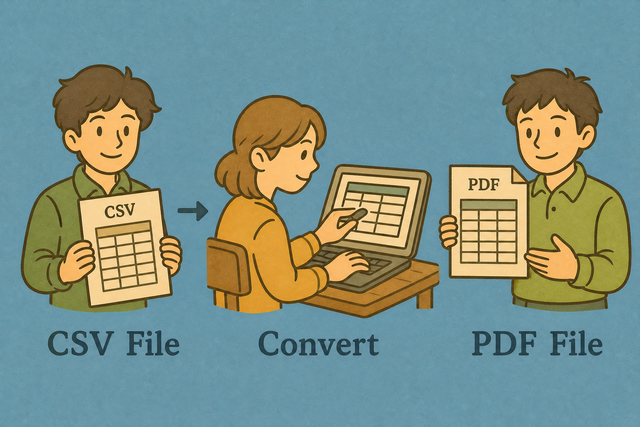
A CSV table can change as data is edited, while a PDF preserves a print layout. CSV to PDF gives you a stable table for sharing, records, or paper copies.
How CSV to PDF works
1. Add CSV data
2. Check the table
3. Download and print to PDF
Supported formats
Add CSV data
You can paste data, upload a file, or view an example
Parsing Status
No data to parse
You can paste data, upload a file, or view an example
Printable PDF table
Convert CSV to a PDF document.
Convert CSV to PDF
A CSV export can look fine in a spreadsheet but lose its layout when you share it. For example, a contact list may need a fixed table for a meeting packet or record. This converter creates a printable view in your browser, so your data stays on your device while the table is prepared.
- You can add CSV data. Paste or upload the table you want to print.
- You can check the table. Review headers, separators, and wrapped values because these affect the printed layout.
- Save as PDF. Click Download to open a print view, then choose Save as PDF in the system print dialog.
CSV and PDF in practice
What is CSV?
A CSV file stores rows of values as plain text. For example, Name,Age,City followed by Ada,36,London is a small table, and commas separate its fields. The separator can also be a semicolon, tab, or pipe, so the selected Value Separator must match the source file.
What is PDF?
A PDF preserves a page layout instead of exposing an editable data grid. The converter renders each CSV row as a table, which works for printing or sharing a fixed copy.
CSV to PDF example
Example CSV input
Name,Age,City
Ada,36,London
Lin,29,Taipei
Example PDF output
A printable table containing the same rows.Common CSV to PDF problems
Will leading zeros disappear?
A value such as "00123" can lose its leading zeros when another spreadsheet program changes its type. Quoting the value keeps it as text during parsing, and this converter does not remove those zeros.
Why is everything in one column?
The source may use semicolons or tabs instead of commas. Change Value Separator to match the file because the parser needs the same separator to divide fields into columns.
What about UTF 8 text?
Accented characters can look incorrect when the source uses a different text encoding. UTF 8 is useful for pasted data because it supports many characters. Re exporting the source as UTF 8 can correct damaged text.
CSV to PDF FAQ
Does CSV to PDF upload my file?
No. The table is rendered in your browser, and the file is not uploaded. For example, a local customer list can become a printable table without leaving your device.
You can keep First row is header selected when the first line contains column names. Set Value Separator to comma, semicolon, tab, or pipe so values such as “Doe, Jane” remain in one cell.
CSV stores editable values, while PDF stores a print layout. This local approach fits private records because you can review the table before saving it.
How do I save a PDF?
You can click Download to open the print view, then choose Save as PDF in the print dialog. For example, a two column inventory CSV becomes a fixed table that you can archive or print.
You can check the preview before saving because long values and narrow columns affect page layout. Matching the separator and header setting first keeps the printed table aligned with the source.
The result is a PDF print layout, not an editable CSV grid. You can use Copy to Clipboard when plain table content is more useful than a saved file.
Can I convert CSV to PDF for free?
Yes. The converter has no account requirement and the PDF has no watermark. A simple list such as Name,Age can become a printable PDF table directly in your browser.
Preview the rows before downloading because a correct separator and header setting prevent merged or misplaced columns. The file stays on your device while the table is prepared.
CSV is useful for editing, while PDF is useful for a stable copy. This difference makes the format suitable for sharing records that should not change accidentally.
How do I convert CSV to PDF for free?
You can paste or upload CSV data, review the printable table, and click Download. Choose Save as PDF in the print dialog, which creates a fixed copy of the rows you checked.
For example, a CSV with Name,Age,City should show three columns in the preview. Select First row is header and the matching Value Separator because those settings determine how the rows are split.
The conversion runs in the browser, so the table is available without a separate PDF application. The preview matters because PDF preserves the displayed layout rather than the editable CSV structure.
Is the PDF watermark-free?
Yes. Click Download and choose Save as PDF in the print dialog. The saved table has no added watermark. This keeps a simple report readable when it is printed or shared.
You can review the table before saving because the PDF reflects the visible rows, headers, and wrapping. Correct separator settings help prevent a watermark free file from still having confusing columns.
No account is needed for this conversion. The browser creates the print view locally, which lets you check the content before saving it.
Can I convert a large CSV to PDF?
Large or very wide CSV files can produce crowded printed pages. For example, a row with many fields may wrap or clip when the table is printed at normal page width.
You can check the preview and remove unneeded columns when the table is too wide. Fewer columns improve readability because PDF is a fixed page layout, unlike a scrolling CSV grid.
If the browser slows while parsing, a smaller section of the file can be easier to review. This keeps the output focused and reduces the chance of saving a page that is hard to read.
Does CSV to PDF need PDF software?
No. A browser print dialog with Save as PDF is enough. For example, you can turn a short sales table into a PDF from the print view without opening a separate PDF editor.
You can check the preview before saving because the print dialog uses the displayed table and its page settings. This separates data conversion from later PDF editing.
CSV to PDF creates a printable document from CSV values. The browser handles the print step, so the conversion does not depend on a particular PDF application.