CSV to XLS Converter
A CSV such as Name,Age,City stores values in plain text, while a spreadsheet workbook stores those values in a table format. Convert CSV to XLS when your next step needs an .xls workbook that opens in spreadsheet software.
How CSV becomes XLS workbook
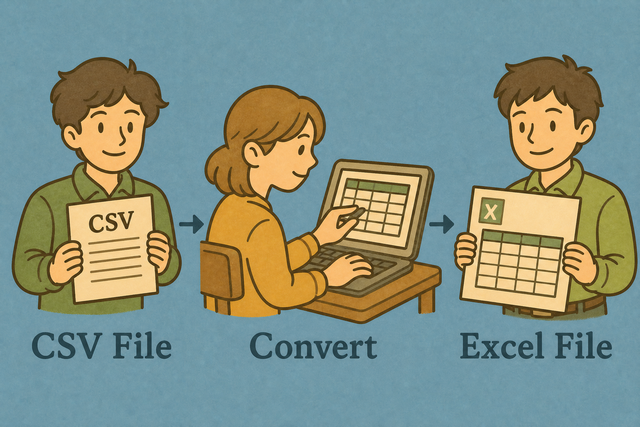
1. Add CSV
2. Create spreadsheet XML
3. Download .xls
Supported Formats
Add CSV data
You can paste CSV, upload a file, or view an example
Import status
No CSV data yet
You can paste CSV, upload a file, or view an example
Spreadsheet workbook output
The converted spreadsheet XML workbook appears here.
How to convert CSV to XLS
A file such as Name,Age,City can open as one column when its separator does not match the imported data. This page creates a spreadsheet XML workbook in your browser, so the table keeps its rows and columns without a server upload.
- You can add the CSV, paste text or upload a file. A semicolon or tab separator can keep fields together when a comma is part of the data.
- You can check the preview, confirm the header setting and review values such as
00123. Quoted values make the intended text clear before the workbook is created. - Save the workbook, copy the XML or download the .xls file. spreadsheet applications that support spreadsheet XML can open this workbook format.
CSV and XLS formats
What is CSV?
CSV stores a table as text, with one row per line and fields separated by a comma, semicolon, tab, or pipe. That simple structure works across apps and databases, but it does not store formulas, styling, or multiple sheets.
What is an XLS workbook?
An XLS workbook can store formulas, styles, and multiple sheets. This converter places CSV values into one spreadsheet XML worksheet, which suits a clean table without adding workbook features that are not present in CSV.
CSV to XLS example
CSV input
Name,Age,City
Ada,36,London
Lin,29,Taipei
Workbook output
Headers: Name | Age | City
Rows: Ada | 36 | London
      Lin | 29 | Taipei
Common CSV to XLS problems
Do leading zeros stay in place?
The converter reads quoted text such as "00123" as a value with its zeros. Spreadsheet software can interpret that value as a number after opening, so the column needs Text format when the zeros identify a code.
Why does everything appear in one column?
The selected separator differs from the file separator, for example semicolons in the file and commas in the setting. The matching separator lets the parser split each row at the intended field boundaries.
Why do accented characters look wrong?
The source may use an encoding other than UTF 8. A UTF 8 export preserves more characters consistently because the converter reads the same character encoding used by the source.
CSV to XLS in another workflow
# In XLS workbook, import the CSV, then save it as a spreadsheet workbook.
# For codes such as 00123, set the column to Text before saving.
CSV to XLS FAQ
Does CSV to XLS upload my file?
No.
This converter creates the spreadsheet XML workbook in your browser, and the CSV stays on this device. That keeps the data available for local conversion without a server upload.
Can spreadsheet software open the download?
Yes.
The downloaded .xls file uses spreadsheet XML and opens in spreadsheet applications that support this format. It contains the converted table, so it is suitable when a spreadsheet tool needs workbook input.
Do I need a spreadsheet application installed?
No.
The conversion runs in your browser. A spreadsheet application is needed only when you want to open the downloaded workbook.
How do I convert CSV to XLS?
You can paste CSV or upload a file, choose the separator that matches the data, check the header setting, and download the spreadsheet XML workbook.
The preview helps you catch column or encoding issues before saving.
How do I import CSV into XLS without splitting columns?
You can choose the separator used by the file, such as comma, semicolon, tab, or pipe.
A matching separator keeps each field in its intended column, including rows that contain quoted commas.
Does CSV to XLS preserve leading zeros?
The converter keeps quoted values such as "00123" while it reads the CSV.
Spreadsheet software may treat the value as a number after opening, so Text format keeps the leading zeros visible.
Will formulas in CSV become spreadsheet formulas?
No.
CSV stores values, not formulas, and the workbook contains those values. Formulas can be added after the workbook opens in a spreadsheet application.
Can another spreadsheet application open this XLS download?
Yes.
You can import the downloaded .xls XML workbook into a spreadsheet application that supports spreadsheet XML. The file contains one worksheet with the CSV rows and columns.
How do I keep ZIP codes as text in spreadsheet software?
You can keep the ZIP code quoted in the CSV, for example "00123", and set the destination column to Text after opening.
Quoting preserves the value during parsing, while Text format prevents number conversion.