CSV to JSON Converter
A CSV table stores rows in plain text, while JSON stores named values inside objects. Convert CSV to JSON when an API, script, or web page needs each row as a readable JSON record.
How CSV to JSON Works
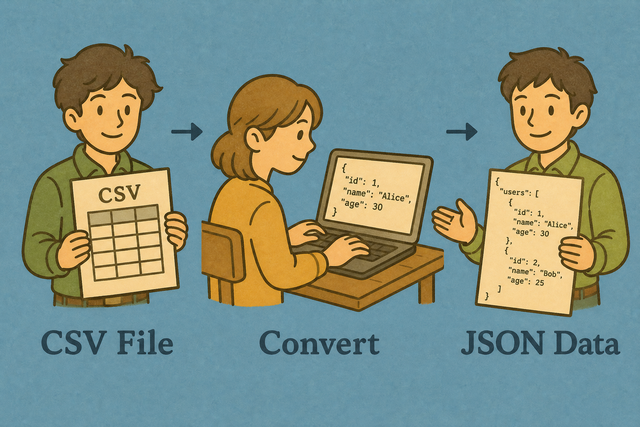
1. Add your CSV
2. Set JSON options
3. Copy or download JSON
Supported Formats
Import CSV Data
You can add CSV data and review the JSON preview
Parsing Status
No data to parse
You can add CSV data and review the JSON preview
JSON Output
You can review the JSON structure created from your CSV
How to convert CSV to JSON
A CSV export can look correct in a spreadsheet but still produce the wrong JSON when its separator or header row differs from the expected format. For example, a semicolon separated file can place every value in one field if it is read as comma separated data.
You can choose the matching Value Separator, keep First row is header on when the first line contains column names, and review the preview before saving. This works because the parser can assign each value to the intended key before JSON is created.
- You can add CSV data Paste comma separated values or upload a .csv file. The preview shows whether rows and columns were read correctly.
- You can choose the JSON shape Array Format creates one object per row, which suits most APIs and scripts. Turn it off for a column oriented object, and use Detect numbers & booleans when typed values are useful.
- Save the result Check the JSON, then copy it or download data.json. The conversion runs in this browser, so the input is not sent to a server.
CSV and JSON formats
What is CSV?
A CSV file represents a table as lines of fields separated by commas, semicolons, tabs, or pipes. For example, Name,Age followed by Ada,36 stores two columns without formulas or visual styling.
You can set the separator to match the source file because a parser cannot reliably split fields with the wrong delimiter.
What is JSON?
JSON stores values in objects with named keys, and an array of objects represents multiple records. A header row such as Name,Age becomes keys such as "Name" and "Age", so each row can be read by an API or script.
CSV to JSON example
A two row CSV table becomes a JSON array when Array Format is enabled. The shared headers become object keys, which keeps the output easy to inspect and use.
Example input
Name,Age,City
Ada,36,London
Lin,29,Taipei
Example output
[
  {"Name": "Ada", "Age": 36, "City": "London"},
  {"Name": "Lin", "Age": 29, "City": "Taipei"}
]
Common CSV to JSON problems
Quoted commas inside fields
A name such as "Doe, Jane" contains a comma but still represents one CSV field. Keep the quotation marks because the parser uses them to preserve the value as one JSON string.
Leading zeros
A quoted value such as "00123" keeps its zeros during conversion, while a spreadsheet program may display it as a number later. Keep identifiers quoted when their zeros carry meaning.
Everything appears in one column
This usually means the file uses semicolons or tabs instead of commas. Select the matching Value Separator because the parser then finds the intended fields.
Unexpected character encoding
Accented characters can look wrong when a source file is saved with an older encoding. Use UTF 8 input when available because it represents a broad range of characters consistently.
CSV to JSON in code
A script can produce the same array of objects when the conversion must run as part of a data workflow. These examples use standard parsing patterns, so the CSV still needs a correct delimiter and header row.
import csv, json
with open("data.csv", newline="") as f:
    print(json.dumps(list(csv.DictReader(f)), indent=2))
const rows = csvText.trim().split(/
/).map(l => l.split(","));
const headers = rows.shift();
const json = rows.map(r => Object.fromEntries(headers.map((h,i) => [h, r[i]])));CSV to JSON FAQ
Does CSV to JSON upload my file?
No. CSV to JSON runs in your browser, and the file is not sent to a server. This keeps the source table on your device while the converter creates the JSON result.
Can I convert CSV to a JSON array of objects?
Yes. Keep Array Format on to create one JSON object for each CSV row. The header cells become keys, so the result fits the common array of objects structure.
Does this CSV to JSON converter work offline after loading?
Yes. After the page and its scripts have loaded, conversion runs locally in the browser. You can copy or download JSON without creating an account or sending the CSV elsewhere.
How do I convert CSV to JSON?
You can paste CSV data or upload a file, select the correct Value Separator, and check the header setting. Keep Array Format on for one JSON object per row, then review and copy or download the output.
Can I convert CSV to JSON online without uploading?
Yes. This CSV to JSON converter processes the input in your browser instead of uploading it to a server. That keeps the conversion local while you copy or download the JSON result.
How do I convert CSV to a JSON array of objects?
You can keep Array Format and Include Headers on. Each data row becomes an object such as {"Column":"value"}, with the header row providing the object keys.
Can I minify CSV to JSON output?
Yes. Check Minify Output to remove formatting whitespace. Leave it off when indented JSON is easier for you to review, or choose 2 spaces, 4 spaces, or tabs.
Does CSV to JSON support semicolons?
Yes. Set Value Separator to Semicolon when the source uses semicolons. The parser then separates fields correctly instead of treating the full line as one value.