Online CSV Viewer
A CSV file can look correct as plain text while a delimiter or header error shifts every column. Preview an example such as Name,Age,City before you convert CSV to JSON, XLSX spreadsheet, HTML, or PDF, so the table structure stays clear.
How the CSV Viewer Works
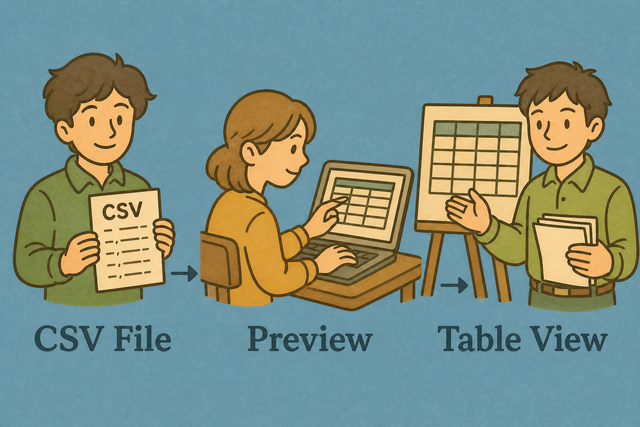
1. Add CSV data
2. Check the table
3. Copy or download the result
Supported Format
Import CSV Data
A pasted delimiter or a missing header can make valid CSV appear misaligned. Add a file or sample data, then set the separator that matches each row so the preview reflects the source.
Parsing status
Add CSV data to see parsing status
A pasted delimiter or a missing header can make valid CSV appear misaligned. Add a file or sample data, then set the separator that matches each row so the preview reflects the source.
CSV Table Preview
A delimiter mismatch can place every value in one column. This preview shows your CSV as a table, so you can check headers, rows, and quoted values before you reuse the data.
How to open a CSV file without spreadsheet software
A CSV file is plain text, so it can be hard to see whether a row has the right fields. For example, Name,Age,City is easier to check as a table before another system receives it. CSV Viewer runs in your browser, which keeps the preview close to the source data.
- You can paste or upload Add a .csv file or paste text. Local parsing keeps the source data in the current browser session.
- Preview as a table Rows render in an HTML table that exposes shifted fields and missing values.
- You can export if needed Copy or download the CSV after checking it. The result remains useful because the table and source values are visible together.
What CSV is
What is CSV?
CSV (comma-separated values) stores one row per line, with fields separated by commas, semicolons, tabs, or pipes. For example, Name,Age,City has three fields because each comma marks a column boundary. CSV carries values rather than formulas or styling, so checking the separator first prevents columns from shifting.
Sample CSV input and output
Example input
Name,Age,City
Ada,36,London
Lin,29,Taipei
Example output
Name,Age,City
Ada,36,London
Lin,29,Taipei
Common CSV viewing problems
Will leading zeros disappear?
A value such as "00123" can lose its first zeros after a spreadsheet program treats it as a number. Keep the value quoted in CSV and check the preview before download, because this viewer does not strip zeros while parsing.
Why is everything in one column?
A file that shows every value in one column usually uses semicolons or tabs instead of commas. Set Value Separator to the matching character, because the parser can split fields only when its separator matches the source.
What about UTF 8 and Windows 1252?
Accented text such as café can appear broken when the source uses Windows 1252 and the paste uses UTF 8. Use UTF 8 when the source supports it, because one consistent encoding keeps characters readable across tools.
CSV Viewer frequently asked questions
Does the CSV viewer upload my file?
No. The table preview runs in your browser, so the file stays in the current session while you check it. This helps you review sensitive rows before you choose whether to copy or download them.
Do I need XLSX spreadsheet to preview CSV?
No. CSV is plain text, and this page displays it as an HTML table. A table preview helps you confirm headers and separators without requiring a spreadsheet application.
Can I still download the data?
Yes. After the preview shows the rows you expect, the Copy table data and Download CSV file buttons keep the result available for your next step. Checking the preview first reduces the chance of passing along shifted columns.
How do I open a CSV file without spreadsheet software?
You can paste the CSV text or add a .csv file, then choose the matching Value Separator and check the first row setting. The table view makes fields such as Name,Age,City easier to inspect before you copy or download the data.
Is there a file size limit for the CSV viewer?
The table uses browser memory, so available memory affects how large a file feels in practice. A smaller split file is easier to review when a large CSV makes the tab slow, because fewer rows need to render at once.
Can I search inside the viewer?
The page does not add a separate search field to the table preview. Your browser find feature can locate visible text, while a CSV filter or editor can help with repeated substring checks before you return to this viewer.
Does the viewer work on a phone?
Yes. The import and preview areas stack on smaller screens, so you can paste or upload CSV and inspect the table on a phone. Smaller samples are easier to read because the table has less horizontal space.