CSV to XML Converter
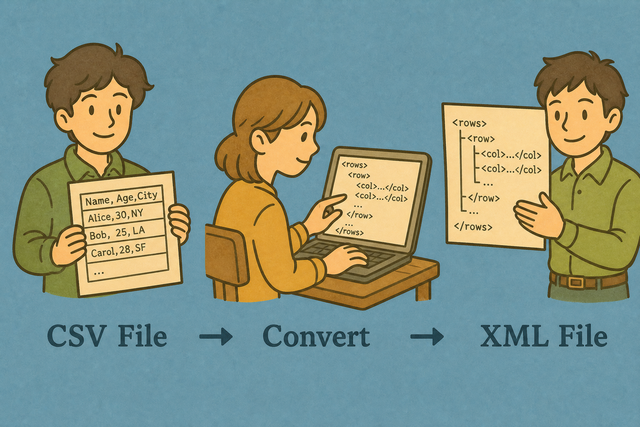
CSV is a simple table; XML is a tagged document format used by enterprise feeds, SOAP APIs, and many government systems. Convert CSV to XML when a downstream service requires nested tags instead of a spreadsheet.
How CSV becomes XML
1. Add CSV data
2. Set root and row tags
3. Download XML
Supported Formats
Add CSV Data
You can paste CSV, add a file, or view an example
Parse status
Add data to begin
You can paste CSV, add a file, or view an example
XML result
Your CSV rows appear here as an XML document
How to use the CSV to XML converter
A table such as Name,Age,City is easy to read as CSV, but a feed may need nested XML elements. The CSV to XML converter creates that structure in this browser, so the input remains available for review while you prepare the next system.
- You can add your data Paste CSV or add a file. Local parsing keeps the source on this device.
- You can set the options Choose the separator, confirm the header setting, and name the root and row tags. Matching the source layout prevents shifted fields and unclear elements.
- You can review and export Check the XML preview, then copy or download it. A review helps catch a wrong separator before the XML reaches another system.
CSV and XML in practical terms
What is CSV?
CSV is a plain text table with one row per line and fields separated by commas, semicolons, tabs, or pipes. For example, Name,Age,City stores three fields in one row, which makes CSV easy to exchange but does not describe nested structure.
What is XML?
XML places each value inside a named element, such as
CSV to XML example
Example CSV input
Name,Age,City
Ada,36,London
Lin,29,Taipei
Example XML output
<rows>
  <row><Name>Ada</Name><Age>36</Age><City>London</City></row>
</rows>
Common CSV to XML problems
Will leading zeros disappear?
A value such as "00123" can lose its leading zeros in a spreadsheet app, even though the source CSV contains them. This converter keeps the characters it reads, so quoted identifiers remain intact in the XML result.
Why does the input appear in one column?
The file is probably semicolon- or tab-separated. Change Column separator to match, or use Change CSV Delimiter.
How should text encoding be handled?
Text can look damaged when a file uses a different encoding from the one expected by the page. UTF 8 is the clearest choice for accented characters, so saving the source as UTF 8 helps the XML retain the original text.
CSV to XML FAQ
Does CSV to XML upload my file?
No. The converter builds XML from your CSV in this browser, and it does not send the file to a server. For example, a customer list can become XML without leaving the device where this page is open.
You can set the separator to match the source and keep the header option on when the first row contains names such as Name and City. Matching those details keeps quoted commas, UTF 8 text, and identifiers such as 00123 in the right fields.
Can I name the XML root and row tags?
Yes. Enter the names in Root tag and Row tag before you review or download the result. For example, rows and row produce a rows element containing one row element for each CSV record.
You can use names that match the receiving XML format, because consistent element names make the output easier for another system to read. The converter applies these names to the document structure while each header becomes a child element.
Is CSV to XML free?
Yes. This page provides the CSV to XML converter without signup or an upload step. The conversion runs in your browser, so the page does not need a remote file service to create the XML.
The practical cost is the time to check the source and preview the result. A quick review of the separator, headers, and generated tags helps prevent a free conversion from producing unusable data.
How are CSV headers turned into XML tags?
Each header becomes a child element for the corresponding value. A header such as City produces an element such as City around the value London, while characters that cannot form a valid tag name are replaced.
You can keep headers short and distinct when you can, because clear names make the XML easier to inspect and map. The converter uses the header row only when the first row contains field names.
Can I set the XML root and row names?
Yes. The Root tag and Row tag fields control the outer element and the element for each record. For example, a root named catalog and a row named item create a catalog containing item elements.
You can choose names that match the schema expected by the next system, because XML integrations depend on exact element names. The field values still come from the CSV columns and their corresponding headers.
Is the XML pretty-printed?
Yes. The result includes an XML declaration and indentation so nested elements are easier to inspect. For example, each row appears inside the selected root element with its child fields on a readable structure.
Readable formatting helps you spot a wrong header or shifted value before download. It does not change the field content, so the XML still represents the same CSV records.