CSV to YAML Converter
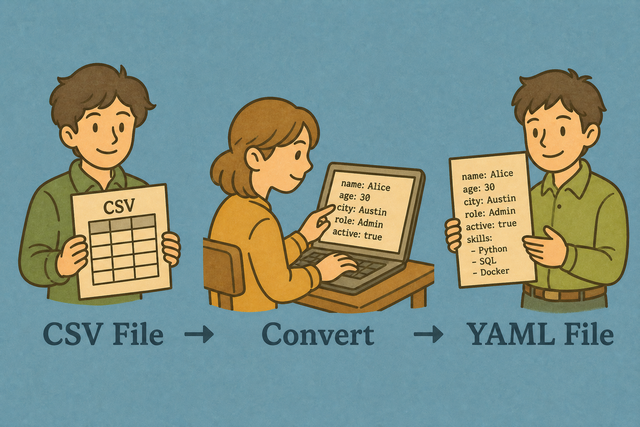
A table can be easy to edit in CSV but awkward to read in a configuration file. For example, a row such as Ada,36,London becomes a YAML map with clear field names. This CSV to YAML converter keeps each row as one YAML item, so the result is easier to inspect and pass to the next tool.
How CSV to YAML Works
1. Add CSV data
2. Review YAML output
3. Copy or download the result
Supported Formats
Add CSV Data
You can add a table by pasting text, uploading a file, or using the example
Parsing Status
Waiting for CSV data
You can add a table by pasting text, uploading a file, or using the example
YAML Output
Each CSV row becomes one YAML map with the selected separator and header setting.
How to use the CSV to YAML converter
A CSV table often stores useful rows, but another tool may require indentation based YAML. For example, a customer row with Name, Email, and Status fields needs a YAML map before a configuration or script can read it clearly. This converter keeps the header names and places each row in a separate YAML list item.
- You can add your data Paste CSV text or upload a file. The converter reads the selected separator so columns stay aligned.
- You can check the options Keep the header setting on when the first row names the columns, and choose comma, semicolon, tab, or pipe when the file uses another separator. Matching the source format prevents values from shifting into the wrong fields.
- You can review and export YAML Read the output, then copy or download it. A quick review catches missing headers and irregular rows before another tool receives the data.
How CSV and YAML differ
What is CSV?
CSV is plain text arranged as rows and fields. A line such as Ada,36,London represents three columns when the comma is the separator. Checking the separator matters because a semicolon or tab file can otherwise appear as one column.
What is YAML?
YAML uses indentation and key value pairs to describe data. The output here is a list of maps, so each CSV row becomes one item with header names and values. Nested YAML needs a different structure because a flat table does not express every parent and child relationship.
CSV to YAML example
Example CSV input
Name,Age,City
Ada,36,London
Lin,29,Taipei
Example YAML output
- Name: Ada
  Age: 36
  City: London
Common CSV to YAML problems
Will leading zeros disappear?
A value such as "00123" can lose its zeros when a spreadsheet program treats it as a number. Quoting the field keeps the zeros in the CSV, and this converter does not strip them while it parses the text.
Why is everything in column A?
A semicolon or tab separator can make a comma parser read the full line as one field. The Value Separator setting can match the file so each value reaches the correct YAML key.
What about UTF 8 and Windows 1252?
Accented characters can look wrong when the source file uses a different text encoding. UTF 8 is the safer choice for shared data because it represents a broad set of characters consistently.
CSV to YAML FAQ
Does CSV to YAML upload my file?
No. The converter reads your CSV in this browser, and each row becomes a YAML list item on your device.
A local conversion suits private tables because the source text stays in the current browser session. For example, a customer list can become YAML without leaving the device.
You can keep First row contains headers selected when the first line names the columns, and match Value Separator to the source file. This preserves fields such as a quoted value like “Doe, Jane”.
Is the YAML output valid for config files?
The output is a simple list of YAML maps, which suits many scripts and configuration files. For example, each CSV row becomes a dash item with header and value pairs.
A flat table cannot represent every nested YAML structure, so the receiving tool should accept a list of maps. Reviewing the output matters because valid YAML syntax does not guarantee that another tool expects the same data shape.
You can check the headers, indentation, and values before import. This catches schema differences while the source data is still easy to correct.
Can I convert CSV to YAML for free?
Yes. You can convert CSV to YAML and copy or download the result without an account.
The page works in your browser, so a short table such as Name, Age, and City can become a YAML list without a separate application.
You can choose the separator that matches the source and review the output before saving it. The check helps prevent a free conversion from carrying an unnoticed column error.
What YAML shape is produced?
The converter produces a list of maps. Each CSV row becomes a dash item with header and value pairs, such as Name: Ada.
This shape works well for flat records because the headers remain visible and each row stays together. Nested source data needs separate modeling because CSV has no built in hierarchy.
You can keep the first row as headers when it contains field names. The setting gives each YAML value a stable key instead of a generic column position.
Are special YAML characters quoted?
Values that contain YAML syntax characters need safe quoting so a parser can read them as text. A value such as a colon or hash can otherwise look like structure.
You can review values that include colons, hashes, quotes, or line breaks because their meaning depends on YAML syntax. This check helps the output match the original CSV value.
The converter escapes values as needed during conversion. A quick review remains useful when the YAML will be consumed by a strict parser.
Can I convert the YAML back to CSV?
Yes. The YAML to CSV page handles the reverse direction for YAML data that has a compatible list of maps.
For example, a list where every item uses Name, Age, and City can return to rows with those headers. Nested or uneven maps may need cleanup because CSV has a flat shape.
You can use the reverse page when the YAML structure matches a table. Checking the keys first helps keep columns consistent during the return conversion.