HTML Table to CSV Converter
A web table can look clear but remain difficult to filter or import. For example, copied product rows may keep HTML tags instead of usable columns. HTML to CSV removes that markup and keeps the table values in a plain text format for spreadsheets, scripts, and databases.
How HTML to CSV works
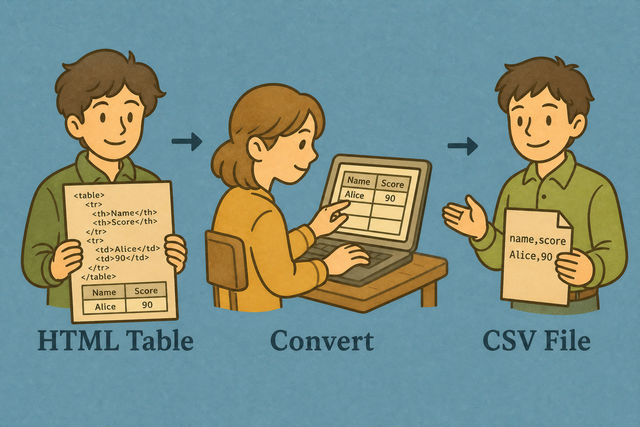
1. Add the table
2. Convert HTML to CSV
3. Copy or download the result
Supported Formats
Add an HTML table
You can paste table markup, upload a file, or view an example
Conversion status
No table data yet
You can paste table markup, upload a file, or view an example
CSV result
You can turn an HTML table into a CSV file with the columns and separator you need.
How to convert HTML to CSV
A copied web table often contains tags, spacing, and display markup that a spreadsheet cannot use directly. For example, a table copied from a report may need to become CSV before a database or spreadsheet can read its rows. This converter parses the first table locally, so the data stays in your browser while the output is created.
- You can add the table Paste HTML or upload a file. Local parsing keeps the source on this device.
- You can choose the format Select the separator and set whether the first row contains column names. Matching the source structure keeps values in the right columns.
- Save the result Review the preview, then copy or download the CSV. A quick review catches missing cells before another tool reads the file.
HTML and CSV basics
What is HTML?
HTML tables organize visible rows and cells on a web page. A copied table can include tags such as <td> instead of plain values, so conversion removes the tags and keeps the grid usable in a spreadsheet or database.
What is CSV?
CSV, or comma-separated values, stores one row per line with fields separated by commas, semicolons, tabs, or pipes. It contains values rather than page styling or formulas, which makes it easy for spreadsheets, databases, and scripts to read.
HTML to CSV example
Example input
<table><tr><th>Name</th><th>Age</th></tr><tr><td>Ada</td><td>36</td></tr></table>Example output
Name,Age,City
Ada,36,London
Lin,29,Taipei
Common HTML to CSV problems
Will leading zeros disappear?
CSV can keep a value such as "00123" when the field is quoted. Some spreadsheet apps display that value as a number and remove the zeros, so the column may need a text format after import. This converter does not remove the zeros during conversion.
Why is everything in one column?
The file is probably semicolon- or tab-separated. Change CSV separator to match, or use Change CSV Delimiter.
What about UTF 8 and Windows 1252?
UTF 8 supports accented characters and many writing systems. If those characters look wrong, the source may use Windows 1252, so an UTF 8 export from the source usually preserves the text more reliably.
HTML to CSV questions
Does HTML to CSV upload my file?
No. The first HTML table in your input is parsed in your browser. For example, a pasted table becomes CSV without a server upload, which keeps the conversion on your device. The result can be copied or downloaded after you review it.
Can I convert a Wikipedia table to CSV?
Yes. Paste the table markup or copied cells and select the source separator when needed. For example, a table copied from Wikipedia may use HTML cells, and local parsing turns those cells into CSV rows without importing the surrounding page.
Are header rows kept?
The first row becomes the header when First row contains column names is selected. For example, th cells such as Name and Date become the first CSV row, which helps spreadsheet and database imports identify each column.
Which HTML is converted?
The first <table> in the pasted markup is converted, and thead and th elements provide header cells when present. This scope keeps unrelated page text out of the CSV, so a page with navigation and one data table produces a focused result.
Can I convert a whole web page?
The converter reads the first table, not the whole page. For example, paste the table markup from a report instead of its scripts and navigation, because a focused input gives the CSV a predictable row and column structure.
Are colspan cells expanded?
No. Each cell value is read as it appears, and a complex colspan may need cleanup afterward. For example, a title spanning three columns may produce one value rather than three repeated values, so a quick review helps before import.