Markdown Table to CSV Converter
A README table can look clear but still be difficult to sort, filter, or import. This Markdown to CSV converter turns pipe rows into plain CSV while keeping the table structure visible and usable.
How Markdown to CSV Works
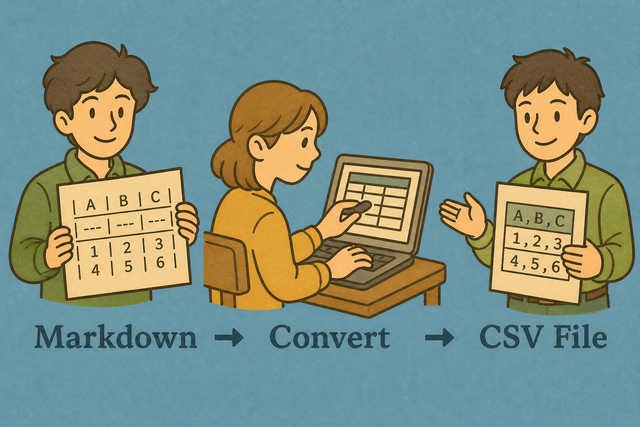
1. Add a table
2. Convert to CSV
3. Copy or download the result
Input and output formats
Add a Markdown Table
You can paste a table, upload a file, or use the example
Conversion status
Add a Markdown table to begin
You can paste a table, upload a file, or use the example
CSV Output
Your CSV result appears here after conversion.
How to convert Markdown to CSV
A Markdown table uses pipes and a separator row, while CSV uses a chosen delimiter between fields. For example, a table with | Name | Age | becomes Name,Age, which makes the data easier to import into a spreadsheet or database.
- You can add your table by pasting Markdown or uploading a file. The converter reads the table in your browser, which keeps the source available for review.
- You can check the options by choosing the CSV separator and whether the first row contains headers. Matching these settings to the destination prevents shifted columns.
- You can review and export the result by copying it or downloading the file. A quick review catches uneven rows before another tool receives the data.
How Markdown and CSV differ
What is Markdown?
Markdown pipe tables present rows for people reading documentation. A row such as | Ada | 36 | is clear on a page, but its pipes and alignment row are not the final CSV structure. The converter removes that presentation row and keeps the cell values.
What is CSV?
CSV is plain text with one record per line and a separator between fields. Commas are common, while semicolons, tabs, and pipes can fit other data layouts. The selected separator matters because the receiving spreadsheet or database uses it to find columns.
A practical input and output example
Markdown input
| Name | Age |
| --- | --- |
| Ada | 36 |
CSV output
Name,Age
Ada,36
Lin,29
Common conversion problems
Can leading zeros change?
CSV can contain a value such as "00123", but a spreadsheet may display it as 123 after opening the file. Keep the field quoted when the zeros identify a code, then set the destination column to Text if it changes the value.
Why does everything appear in one column?
The selected separator may differ from the separator in the output. For example, semicolon separated data needs a semicolon setting, because a comma setting leaves each line as one field.
Why do accented characters look wrong?
The source may use Windows 1252 instead of UTF 8. Re exporting the source as UTF 8 usually fixes the character mapping before conversion.
Markdown to CSV questions
Does Markdown to CSV upload my file?
No. The table is parsed in your browser, so the source text stays on your device during conversion.
You can paste the table, choose the separator, and review the CSV result before you copy or download it. Local parsing helps you check sensitive rows without sending them to an external server.
Does it skip the alignment row?
Yes. A separator row such as | --- | --- | identifies the Markdown columns and is left out of the CSV result.
The converter keeps the header and data rows, which prevents the alignment marks from appearing as a record in the exported file.
Can I import README pipe tables?
Yes. A pipe table from a README can be pasted into the input and converted to CSV.
You can check that each row has the same number of cells, then choose the separator used by the destination. This review helps preserve columns when the table contains commas inside a cell.
Which Markdown tables convert?
Pipe tables with a separator row convert. Alignment colons in that row are ignored, so forms such as |:---|---:| still produce regular CSV fields.
Tables with uneven rows may need cleanup first, because each CSV record should have the same column structure as the header.
Can I convert a README table to CSV?
Yes. Include the header, the | --- | separator row, and the data rows in the input.
The converter removes the separator row and creates CSV from the remaining cells. Review the output before downloading it so missing cells are easy to spot.
What about lists that are not tables?
Lists are not parsed as Markdown tables. A list such as 1. Ada has no column separators, so it does not define a CSV row structure.
You can convert the list into pipe rows first, with one consistent set of columns per row. This gives the converter clear fields to export.