Text to CSV Converter
A copied report can look like a table while its spaces remain plain text. Convert aligned text columns to CSV so each field becomes a separate value that a spreadsheet or database can read.
How text becomes CSV
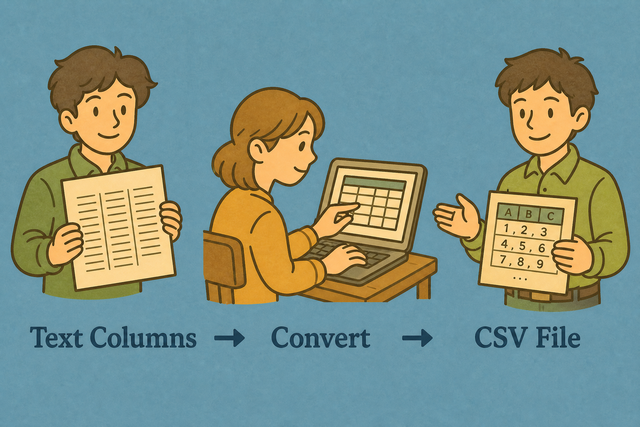
1. Add text
2. Create CSV
3. Copy or download the result
Input and output formats
Import text columns
You can paste text, upload a file, or view an example
Parsing status
Add text to create a preview
You can paste text, upload a file, or view an example
CSV output
The converted CSV keeps each row and field in a format that other tools can read.
How to convert text columns to CSV
A report such as “Name Age” is readable, but its spacing does not create real columns. This converter turns that text into CSV in your browser, which keeps the data ready for a spreadsheet, database, or plain text workflow.
- You can add your data Paste plain text or upload a file. The conversion stays in this browser, so the source text remains on your device.
- You can set the options Choose the separator and select the header setting. Matching the source layout prevents values from joining the wrong column.
- You can check and export Review the preview, then copy or download the CSV. A quick review catches uneven rows before another tool imports the file.
Text and CSV formats
What is plain text?
Aligned or spaced columns often come from a terminal report or copied email. For example, “Ada 36” shows spacing to a person, but it does not define a reliable field boundary for software. The converter reads the spacing pattern and creates separate CSV fields, which makes sorting and importing possible.
What is CSV?
CSV, or comma separated values, stores one row per line and separates fields with a delimiter such as a comma, semicolon, tab, or pipe. A row such as “Ada,36,London” gives software clear values without formulas or styling, so the same file can move between different data tools.
Text to CSV example
Example text input
Name    Age
Ada     36
Example CSV output
Name,Age,City
Ada,36,London
Lin,29,Taipei
Common text to CSV problems
Can leading zeros disappear?
A value such as “00123” can lose its first zeros after a spreadsheet opens the file. Quoting the field keeps the zeros in the CSV, and setting the destination column to Text prevents automatic number conversion.
Why is every value in one column?
The file is probably semicolon- or tab-separated. Change CSV separator to match, or use Change CSV Delimiter.
What about UTF 8 and Windows 1252?
Accented characters can look incorrect when the source uses Windows 1252 and the file is read as UTF 8. UTF 8 is the safer choice for shared data because it supports a broad range of characters consistently.
Text to CSV questions
Does Text Columns to CSV upload my file?
No.
The text is parsed in your browser.
For example, a pasted report stays on this device while its spacing becomes CSV fields.
This local method keeps the source available only to you during conversion.
What separators are detected?
The converter reads tabs, two or more spaces, and single spaces when needed.
A line such as “Ada 36” uses its spacing as the column boundary.
Matching the CSV separator to the format you need keeps the exported fields clear.
Can I convert a copied report to CSV?
Yes.
A copied report with aligned or tab separated columns can become CSV.
For example, a name and age report can produce “Ada,36” as one row.
You can review the preview because irregular spacing can place a value in the wrong field.
How is aligned text split into CSV?
Tabs or two or more spaces become column breaks, while irregular spacing can need cleanup.
For example, “Name Age” becomes two fields when the gap separates the headings.
Checking the preview works because it shows whether each row has the same shape.
Can I convert a log file to CSV?
Yes, when the log uses padded columns or tabs.
A sample such as “2026 INFO Ready” can become three fields after you choose the matching separator.
Testing a small sample first reveals whether timestamps or messages contain spacing that should remain together.
Does text to CSV infer headers?
The first line becomes the header when First row contains headers is selected.
For example, “Name Age” becomes the header row for the data below it.
You can turn that setting off when the first line is data, because header detection depends on the source layout.