TSV to CSV Converter
A TSV export can look correct in a text editor but open as one column in a CSV-only workflow. TSV to CSV converts the tab separators into a CSV format while keeping rows and fields in their original order.
How TSV to CSV works
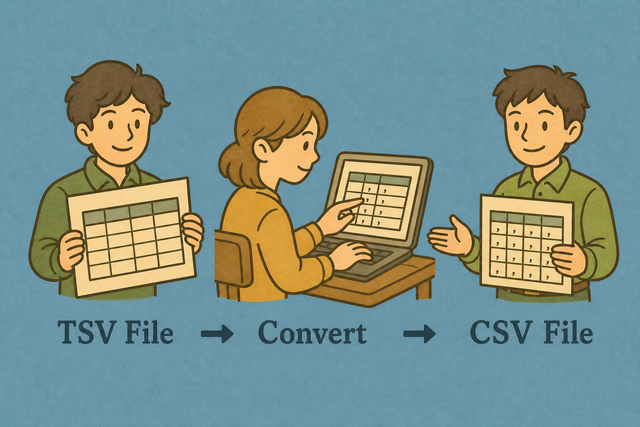
1. Add TSV data
2. Review the CSV result
3. Copy or download the file
Supported formats
Add TSV data
You can paste tab-separated data, upload a file, or view an example
Parsing Status
Add data to begin parsing
You can paste tab-separated data, upload a file, or view an example
CSV result
You can convert tab-separated data into a clean CSV file for your next table or data import.
How to convert TSV to CSV
A TSV export uses tabs, while a CSV import may expect commas. For example, a row such as Name
- You can add your data. Paste TSV or upload a file. The parser can then read each tab as a field boundary.
- You can set the options. Choose the separator and header setting that match the source table. Matching the source prevents shifted columns.
- You can review and export. Check the preview, then copy or download the CSV result. A quick review catches an incorrect separator before the file reaches another system.
TSV and CSV formats
What is TSV?
TSV stores each field between tab characters. For example, an address containing a comma can stay in one field because the comma is ordinary text, not the field separator.
What is CSV?
CSV is a plain-text table with one row per line and fields separated by a chosen character, usually a comma. It stores values rather than formulas or styling, so a clean CSV works well when another system needs simple rows and columns.
TSV input and CSV output
Example TSV input
Name	Age	City
Ada	36	London
Example CSV output
Name,Age,City
Ada,36,London
Lin,29,Taipei
Common TSV to CSV problems
Will leading zeros disappear?
The converter does not remove leading zeros. A value such as "00123" stays in the output, but a spreadsheet program can display it as 123 unless the column uses text formatting, so review identifier columns after opening the file.
Why is everything in one column?
The file is probably semicolon or tab-separated. Change Output separator to match, or use Change CSV Delimiter.
What about UTF-8 text?
UTF-8 preserves a wide range of letters and symbols in plain text. If accented characters look wrong, the source may use another encoding, so saving the source as UTF-8 first can prevent damaged text.
TSV to CSV FAQ
Does TSV to CSV upload my file?
No. The conversion runs in your browser, and the TSV text stays on your device. This suits a table such as a contact export that needs a format change without sending its contents to a server.
You can paste or upload the TSV after the page loads, then review and copy or download the CSV. Local processing keeps the conversion close to the source data, while the preview helps you notice a wrong separator or header setting.
Can I pick the output delimiter?
Yes. The output can use a comma, semicolon, tab, or pipe. For example, semicolons can suit a workflow that treats commas as decimal separators, while commas remain the usual CSV choice.
You can choose the separator that the next system expects before you download the file. Matching that expectation prevents a valid table from opening as one column.
Does TSV to CSV keep quoted fields?
Yes. Quoted fields remain single fields, including values with commas or line breaks. For example, a quoted address containing a comma does not become two CSV columns.
The parser reads the TSV structure before it writes the CSV separator. Review the result when a field contains quotes or line breaks, because that check confirms the receiving system will see the same cells.
How do I convert TSV to CSV?
A TSV file stores fields with tabs, while a CSV file usually stores fields with commas. For example, Name
You can paste the TSV or upload it, confirm the input separator and header setting, then review and copy or download the CSV. These checks matter because the wrong separator can shift every field in a row.
Will tabs inside fields survive?
A tab normally marks a field boundary in TSV, so an unquoted tab inside a value cannot be distinguished from a separator. Values that contain commas can remain one CSV field when the converter quotes them in the output.
You can check the source data and the preview when a value may contain a tab. A clear field boundary is necessary for the converted rows to keep their intended columns.
Can XLSX spreadsheet save TSV that I convert here?
Yes. A spreadsheet can provide tab-separated text for a single table, and this page can convert that text to CSV. CSV stores values in rows and columns, so formulas, styling, and multiple sheets do not carry over.
You can copy the table as tab-separated text or upload a TSV file, then review the CSV result before saving it. This method works when the destination needs one plain-text table rather than a workbook.