CSV to TSV Converter
CSV stores fields with commas, while TSV stores fields with tabs. A row such as an address with a comma can keep that comma as one value after conversion, which helps tab based imports read the table correctly.
How CSV to TSV works
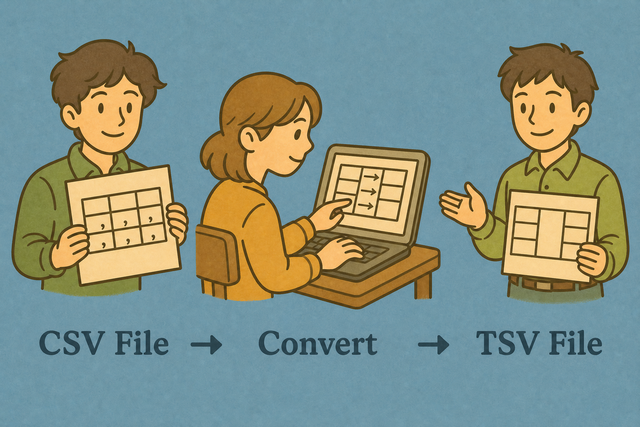
1. Add CSV data
2. Create TSV output
3. Copy or download the result
Input and output formats
Add CSV data
You can add data by pasting, uploading, or using the example
Conversion status
No data is ready
You can add data by pasting, uploading, or using the example
TSV result
The converted table appears here with tabs between fields.
How to convert CSV to TSV
A CSV table can place commas inside addresses, notes, or other values. TSV separates fields with tabs, so it can fit a database import or text workflow that expects tab separated columns. This page converts the table in your browser, which keeps the source available for review before you save the result.
- You can add your data Paste CSV or upload a file. The conversion runs in this browser, so the source stays available on your device.
- You can check the options Select the input separator and keep the header setting aligned with the source. Matching the source structure helps the output keep the correct columns.
- Save the TSV Review the result, then copy or download it. A review catches separator or row issues before another tool reads the file.
CSV and TSV formats
What is CSV?
CSV, or comma separated values, is a plain text table with one row on each line. A source may use commas, semicolons, tabs, or pipes between fields, so the selected separator must match the file. The format stores values rather than workbook styling or formulas.
What is TSV?
TSV, or tab separated values, places a tab between fields. For example, an address such as "12 Oak Street, Apt 4" can remain one value because its comma is not the field separator.
CSV to TSV example
Example CSV input
Name,Age,City
Ada,36,London
Lin,29,Taipei
Example TSV output
Name	Age	City
Ada	36	London
Common conversion problems
Will leading zeros disappear?
A value such as "00123" can lose its leading zeros when a spreadsheet editor treats it as a number. The converter does not remove those zeros from the text, but the receiving application may change how it displays them. Check identifier columns after opening the TSV and use text formatting when the values must remain exact.
Why is everything in one column?
The file is probably semicolon- or tab-separated. Change Input separator to match, or use Change CSV Delimiter.
What about UTF 8 and Windows 1252?
Text can look incorrect when the source encoding and the reader encoding differ. UTF 8 is a practical choice for accented characters, while a Windows 1252 source may need to be exported again as UTF 8 before you paste it here. Matching encodings prevents damaged characters in the TSV.
CSV to TSV FAQ
Does CSV to TSV upload my file?
No. A CSV file such as a contact list stays in your browser while its field separators change from commas to tabs. Nothing is sent to a server by this page, so you can review the output before you copy or download it.
You can select the matching Value Separator when the source uses semicolons or another delimiter. Keep First row is header selected when the first line contains column names, because the parser can then treat that line as the table header.
Why convert CSV to TSV?
A CSV address such as "12 Oak Street, Apt 4" contains a comma inside one field. TSV uses tabs between fields, so that comma can remain part of the address while the table keeps its columns.
CSV to TSV is useful when a database or text based workflow expects tab separated values. The converter parses quoted fields before it writes tabs, which keeps commas inside quoted cells from creating extra columns.
Can I change other delimiters too?
Yes. The Value Separator list accepts comma, semicolon, tab, and pipe input. For example, a semicolon separated file can be read with Semicolon selected before the TSV output is created.
The separate Change CSV Delimiter tool is available when the output needs a delimiter other than a tab. Matching the input separator matters because the parser must identify the original fields before it can write a correct table.
When should I convert CSV to TSV?
CSV to TSV fits a table with commas inside values, such as addresses or notes, or a data import that expects tabs. For example, a row with an address can keep its comma without making the address a second field.
The conversion also helps when a text based workflow handles tabs more consistently than commas. Check the sample output after conversion, because a quick review can reveal an incorrect separator or an irregular source row before the file moves on.
Will tabs inside cells break TSV?
A tab inside a cell has the same visual character as the separator between TSV fields. If a source value contains a tab, a strict TSV reader can interpret that character as a new column.
You can review values that may contain tabs before sharing the output with a strict importer. The converter preserves the parsed field content, so checking the output is important when the source contains embedded control characters.
Can XLSX spreadsheet open the TSV?
Yes. Spreadsheet editors can open a TSV file as a table when tabs separate its fields. A TSV file contains plain table values, so it does not carry workbook features such as formulas, formatting, or multiple sheets.
You can use the first row setting when the top line contains column names, then open the downloaded file and check values such as leading zeros. A value such as "00123" may be displayed as a number by a spreadsheet editor even though the converted text contains the zeros.