CSV to Text Converter
CSV stores table values with separators, while aligned text makes those values easy to read in an email, terminal, or document. For example, a contact list such as Name,Age,City becomes a fixed-width report that keeps each field in a clear column.
How CSV to Text Columns Works
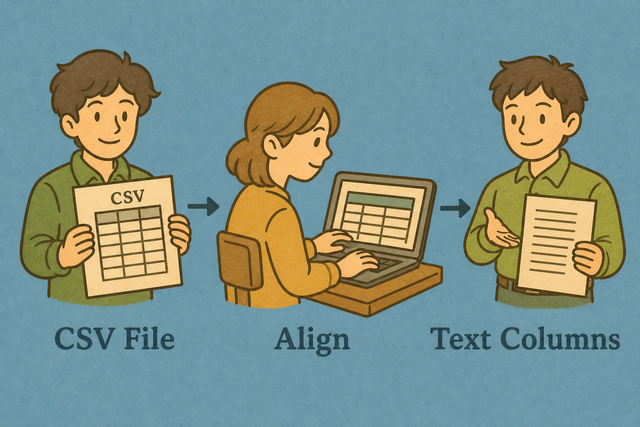
1. Add CSV data
2. Create aligned text
3. Copy or download the result
Supported Formats
Add CSV Data
You can paste CSV, upload a file, or view an example
Parsing status
Add data to see parsing status
You can paste CSV, upload a file, or view an example
Aligned text output
Create readable, evenly spaced text columns from a CSV file.
How to use the CSV to Text converter
A CSV file such as Name,Age,City is useful for data tools, but a report often needs visible spacing between fields. This converter creates aligned plain text in your browser, so the result fits messages, logs, and documents without changing the source file.
- You can add your data. Paste CSV or upload a file. Local parsing keeps the source in this browser.
- You can set the separator. Choose comma, semicolon, tab, or pipe, and keep the header option on when the first row names the columns. Matching the source prevents shifted fields.
- Save the result. Review the aligned preview, then copy or download it. The spacing makes columns easier to scan in plain text.
CSV and aligned text explained
What CSV contains
CSV is a plain-text table with one row per line and fields separated by commas, semicolons, tabs, or pipes. For example, Name,Age,City stores three fields per row, and the separator tells the parser where one field ends. Matching the separator preserves the table structure because a comma inside a quoted name is data, not a new column.
What aligned text contains
Aligned text uses spaces to place fields under one another, which helps people read a report in a terminal or email. It is still plain text, not a spreadsheet, so the spacing improves scanning while the original CSV remains the structured source.
CSV to text example
Example input
Name,Age,City
Ada,36,London
Lin,29,Taipei
Example output
Name    Age
Ada     36
Common CSV to text problems
Can leading zeros disappear?
A value such as "00123" can lose its first zeros when another program treats it as a number. Quoting the field keeps the value as text during parsing, and this converter does not remove those zeros.
Why does everything appear in one column?
A file that uses semicolons or tabs will not split correctly when the parser expects commas. The Value Separator setting must match the source, because the parser can then identify each field boundary.
How should character encoding be handled?
Text such as café or Łódź can look wrong when the source uses a different encoding. UTF-8 is the safest choice for shared CSV data because it represents a wide range of characters consistently.
CSV to Text Converter FAQ
Does CSV to Text Columns upload my file?
No. The converter parses CSV into aligned text in your browser, so the file stays on your device during conversion. For example, a contact export can become a readable report without a server upload.
The result uses spaces rather than the original separator. The browser must still have the page resources available, and the output can be copied or downloaded after parsing.
Can I paste the result into an email?
Yes. The output uses aligned plain text, so a monospace email view can keep fields under the same headings. For example, a short list of names and cities is easier to scan than a long comma-separated line.
You can review the spacing before you send it because proportional fonts can shift columns. The downloaded text remains useful when the recipient needs the exact generated content.
Does this create a Markdown table?
No. The output is aligned plain text, not Markdown syntax. A row such as Name,Age becomes spaced columns rather than a header row with pipes.
CSV to Markdown is the better related tool when a Markdown table is required, because Markdown uses pipes and a separator row to define its table structure.
What is CSV to text columns?
CSV to text columns places fields in padded, aligned positions in a plain-text report. For example, Name,Age with Ada,36 becomes two readable columns with spaces between them.
The output is useful in logs, emails, and documents where visible alignment matters. It is not a spreadsheet, so the original CSV remains the better format for data import.
Does aligned text keep the delimiter?
No. The preview uses spaces to align the fields, so commas, semicolons, tabs, or pipes are not retained as the visible separator. For example, comma-separated values become positions separated by padding spaces.
The downloaded result is plain text. The original CSV or a separate CSV conversion is needed when another tool still requires a delimiter.
Can I convert CSV to fixed-width text?
Yes. Each output column is padded to the width of its widest value, which creates a fixed-width style report. For example, a longer city name increases the space reserved for the city column.
This works well for readable logs and simple reports, but it does not add a formal schema. Check the preview because long values can make the text wider than a message window.