CSV to Markdown Table Converter
A CSV can hold rows for a spreadsheet, but documentation needs a readable Markdown table. For example, a contact list with Name, Age, and City becomes a pipe table that fits a README. This converter keeps the row and column order so the result is ready for documentation.
How CSV to Markdown works
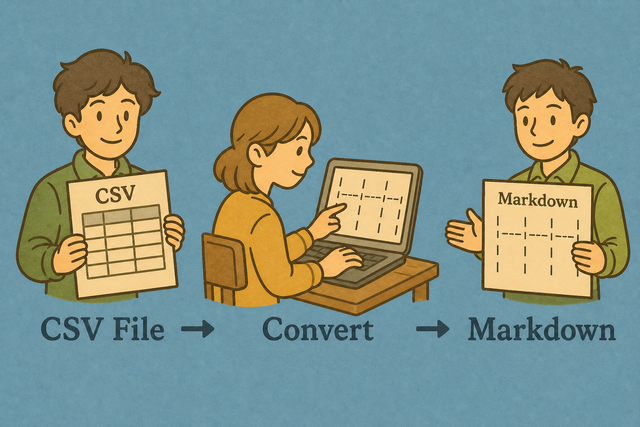
1. Add CSV data
2. Check the options
3. Copy or download the table
Supported Formats
Add CSV data
You can paste CSV data, upload a file, or use an example
Parsing status
No CSV data yet
You can paste CSV data, upload a file, or use an example
Markdown table output
You can turn CSV rows into a Markdown table with a header separator row.
How to convert CSV to Markdown
A spreadsheet export often uses commas, while a README needs Markdown pipes. For example, Name,Age becomes a header row followed by a Markdown separator. This tool parses the CSV in your browser and keeps the converted table on your device.
- You can add your data. Paste CSV or upload a file. Browser parsing keeps the source data on your device.
- You can check the options. Select the separator and choose whether the first row contains headers. Matching the source prevents shifted columns.
- Save the table. Review the preview, then copy or download the Markdown. The output is easier to verify before you place it in documentation.
CSV and Markdown in this workflow
What is CSV?
CSV, or comma separated values, stores a table as text. A row such as Ada,36,London has three fields, and a comma, semicolon, tab, or pipe separates those fields. This simple structure makes CSV useful for moving tabular data between tools, but the selected separator must match the file.
What is Markdown?
Markdown tables use pipes between cells and a separator row below the headers. A CSV row such as Ada,36,London becomes | Ada | 36 | London |, so the same data can appear clearly in documentation.
Sample input and output
Example input
Name,Age,City
Ada,36,London
Lin,29,Taipei
Example output
| Name | Age |
| --- | --- |
| Ada | 36 |
Common CSV to Markdown problems
Will leading zeros disappear?
A value such as "00123" can lose its first zeros when a spreadsheet program treats it as a number. Keep the value quoted in the CSV and check the converted output, because this converter does not remove leading zeros.
Why is everything in one column?
The file is probably semicolon- or tab-separated. Change CSV separator to match, or use Change CSV Delimiter.
What about UTF-8 and Windows-1252?
Text such as café can look wrong when the source uses Windows-1252 and the page receives UTF-8. A UTF-8 export keeps accented characters consistent across systems, so re export the source as UTF-8 when the preview shows damaged text.
CSV to Markdown frequently asked questions
Does CSV to Markdown upload my file?
No.
The conversion runs in your browser, so the CSV stays on your device. For example, a local contact export can become a Markdown table without a file transfer. This approach keeps the source data available only to the page while it is open.
Is the Markdown compatible with standard Markdown?
Yes.
The output uses pipes and a separator row, which are the basic structure of a Markdown table. For example, a header row followed by | --- | --- | can render as a table in common Markdown readers. Check the preview because unusual cell content may still need editing.
Can I convert Markdown back to CSV?
Yes.
The Markdown to CSV tool in the related tools list handles the reverse direction. A pipe table can return to comma separated rows when its cells and separator row are consistent. A quick preview helps you catch uneven rows before saving the CSV.
Will pipes inside cells break the Markdown table?
Pipes inside values are escaped in the output.
For example, a cell containing Bronze | Silver remains one cell instead of creating an extra column. The escaping works because Markdown treats the added backslash as part of the cell text.
Can I paste this Markdown into a Markdown editor or repository?
Yes.
The result is a standard pipe table with a header separator row. A small table can be copied directly into a Markdown editor, then checked in the destination because each editor may handle pasted tables differently.
Does CSV to Markdown keep alignment?
Rows keep their original column order, but the converter does not add alignment colons.
For example, a numeric column remains in the same position without a right alignment marker. Add alignment markers later if your documentation needs them, because plain Markdown tables do not require alignment metadata.