CSV to SQL Insert Converter
A spreadsheet export can be easy to read but awkward to load into a database. This CSV to SQL converter turns rows such as Name,Age into SQL INSERT statements that fit a table import workflow.
How CSV to SQL works
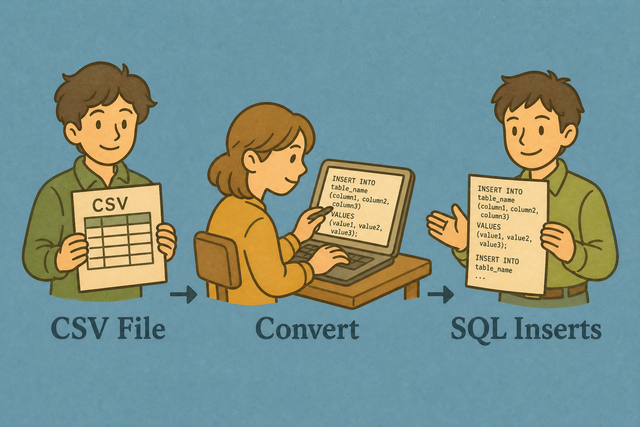
1. Add CSV data
2. Create SQL INSERT statements
3. Copy or download the result
Input and output formats
Add CSV data
You can paste CSV, upload a file, or use an example
Import status
No CSV data yet
You can paste CSV, upload a file, or use an example
SQL INSERT output
The generated statements use the imported headers and rows.
How to convert CSV to SQL
A CSV export stores rows as plain text, while a database import often needs SQL statements. For example, a row such as Ada,36,London can become an INSERT statement for the data table. This converter runs in your browser, so the conversion stays on your device.
- You can import your data. Paste CSV or upload a file. The converter reads the rows in this browser.
- You can set the options. Choose the separator and indicate whether the first row contains column names. Matching these settings prevents shifted columns and incorrect field names.
- You can review and export SQL. Check the preview, then copy or download the statements. Review matters because the converter creates text for your database, but it does not run the statements.
What CSV and SQL contain
What is CSV?
CSV (comma-separated values) stores one row per line, with fields separated by commas, semicolons, tabs, or pipes. For example, Name,Age,City stores three fields because the separator marks each column. The plain text keeps data portable, but the selected separator must match the source file.
What is SQL?
SQL INSERT statements add rows to a database table. The converter maps each CSV header to a column and each row to values, which keeps the output tied to the source data.
Sample input and output
Example input
Name,Age,City
Ada,36,London
Lin,29,Taipei
Example output
INSERT INTO data (`Name`,`Age`,`City`) VALUES ('Ada', 36, 'London');Common CSV to SQL problems
Quotes, commas, and unsafe input
A value such as Doe, Jane needs CSV quotes so the comma stays inside one field. The converter doubles apostrophes in SQL values, but the generated text still needs review before it reaches production data because this page does not assess intent or permissions.
Will leading zeros disappear?
A quoted value such as "00123" keeps its zeros while this tool parses the CSV. Spreadsheet software may change the value when it opens the file, so keeping identifier columns as text protects the source value.
Why is everything in one column?
The file may use semicolons or tabs instead of commas. Set Column separator to the delimiter used in the source, because the parser can split fields only when that setting matches the file.
What about text encoding?
Accented characters can look wrong when the source uses a different encoding. UTF-8 is a practical choice for pasted data because it preserves a broad range of characters consistently across systems.
Generate SQL in code instead
import csv
print("INSERT INTO data (name,age) VALUES")
# or generate INSERTs with this page, then run them in your SQL client
CSV to SQL questions
Does CSV to SQL upload my file?
No. The converter creates SQL INSERT statements in your browser, and it does not send the CSV text to a server. This suits a local review of a file such as an employee export or a small database extract.
The file still needs careful review after conversion because privacy depends on how you handle the source and result on your device.
Can I set the SQL table name?
Yes. The Target table field sets the table name in each generated INSERT statement. For example, changing data to customers changes INSERT INTO data to INSERT INTO customers.
You can use a table name that exists in your schema, then review the column names because the converter uses the CSV headers as SQL columns.
Does it emit CREATE TABLE?
No. This page creates INSERT rows, not CREATE TABLE statements. A CSV example with Name and Age becomes row data, while column types and constraints remain part of your database schema.
Define the table separately when you need types, keys, or constraints, then compare its columns with the CSV headers before importing the generated SQL.
What SQL dialect are the INSERTs?
The output uses general INSERT INTO table (...) VALUES (...); syntax with backtick quoted column names. It is intended as portable SQL text, but database dialects can differ in identifier and type rules.
You can check the generated statements against your database syntax before execution because this converter does not run a dialect validation step.
Are quotes escaped for SQL?
Yes. Apostrophes inside values are doubled for SQL text. A value such as O'Brien becomes O''Brien in the generated statement.
You can review the result before using it with production data because escaping a quote does not validate the data or the permissions of the person running the query.
Can I generate CREATE TABLE as well?
No. The converter emits INSERT statements only. It does not infer column types, indexes, keys, or other schema details from a CSV sample.
Create or confirm the table schema separately, then compare its columns with the CSV headers so the generated rows have a matching destination.