SQL to CSV Converter
A SQL dump stores rows as INSERT statements, while a CSV file stores those rows as a plain table. SQL to CSV turns an example such as INSERT INTO people (name, age) VALUES ('Ada', 36); into rows you can review, share, or import.
How SQL to CSV works
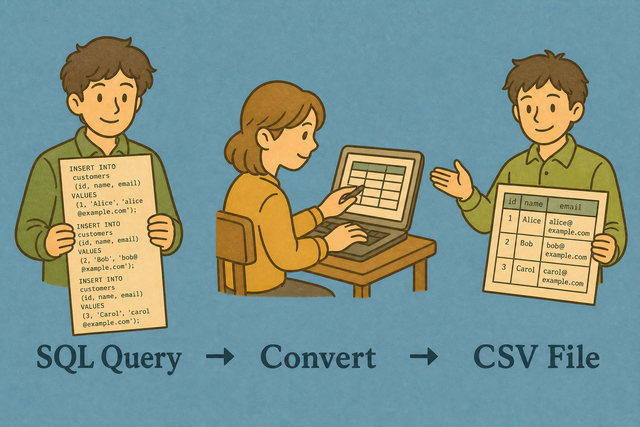
1. Add SQL data
2. Convert to CSV
3. Copy or download the table
Supported formats
Add SQL statements
You can paste SQL, upload a file, or view an example
Parsing status
Add SQL to begin parsing
You can paste SQL, upload a file, or view an example
CSV output
The converted table appears here for review and export.
How to use SQL to CSV
A SQL export is hard to inspect in a spreadsheet because it stores rows as database statements. For example, an INSERT statement can contain quoted commas, escaped apostrophes, and many values. SQL to CSV parses those values in your browser so the result becomes a plain table without sending the source to a server.
- You can add your data. Paste SQL or upload a file. Local parsing keeps the source on this device.
- You can check the separator. Choose comma, semicolon, tab, or pipe when the target system expects a specific delimiter.
- You can review and export. Copy or download the CSV after checking headers and values, because a quick review catches shifted columns before import.
What SQL and CSV contain
What is SQL?
SQL INSERT statements describe rows for a database. A statement such as INSERT INTO data (name, age) VALUES ('Ada', 36); contains both column names and values, so the converter can read them as table data.
What is CSV?
CSV, or comma separated values, stores one row per line with fields separated by a chosen character. Comma is common, but semicolon, tab, and pipe also work when the receiving system expects them. Plain text keeps the data portable because it carries values and columns without styling or formulas.
Sample SQL input and CSV output
SQL input example
INSERT INTO data (`Name`,`Age`) VALUES ('Ada', 36);CSV output example
Name,Age,City
Ada,36,London
Lin,29,Taipei
Common SQL to CSV problems
Will leading zeros disappear?
A value such as "00123" can lose its first zeros after a spreadsheet program opens the file. Keep the value quoted in SQL and set the destination column to Text, because CSV itself stores the characters but does not control how another program interprets them.
Why is everything in one column?
The file may use semicolons or tabs instead of commas. Choose the matching CSV separator, because the delimiter tells the receiving program where each field ends.
What about UTF-8 and Windows-1252?
Text can look incorrect when the source uses Windows-1252 and the input is read as UTF-8. Use UTF-8 from the source when possible, because one consistent character encoding keeps accents and other non ASCII characters readable.
SQL to CSV questions
Does SQL to CSV upload my file?
No. SQL to CSV parses INSERT statements in your browser, so the source stays on this device.
For example, you can paste a dump, inspect the rows, and download the CSV without sending the SQL to a server. This approach works because the conversion uses the page and your browser rather than a remote database.
What SQL does it accept?
MySQL style INSERT INTO ... VALUES (...); statements work best.
A statement such as INSERT INTO table (name) VALUES ('Ada'); provides the column list and values that the converter needs. This is a converter, not a query runner, so review the SQL before using the resulting CSV.
Can I convert query results to CSV?
Yes, when the result is available as INSERT statements or aligned rows that the tool can parse.
For example, a pasted export with a header row can become a CSV table for another data workflow. Check the columns after conversion because query exports can contain separators or quoted values that affect field boundaries.
Which SQL statements convert?
INSERT INTO ... VALUES (...); statements convert.
You can select dumps are not parsed. Use a compatible INSERT export, because the converter reads the table name, optional column list, and row values rather than executing SQL.
Are column names taken from the INSERT?
Yes. The column list in the INSERT becomes the CSV header.
For example, INSERT INTO people (name, age) VALUES ('Ada', 36); produces name and age as the first row. This keeps the output aligned with the source schema when the INSERT includes column names.
Can I convert MySQL dumps with multiple inserts?
Yes.
Each compatible INSERT adds rows to the output. If a dump contains several table names, filter the SQL first when you need one table, because the converter places parsed rows into one CSV result.