Rename CSV Columns
A CSV export can use headers such as cust_id and order_dt, while the next table expects customer_id and order_date. Rename CSV columns with a simple map so the header names match your schema while every row value stays in place.
How CSV column renaming works
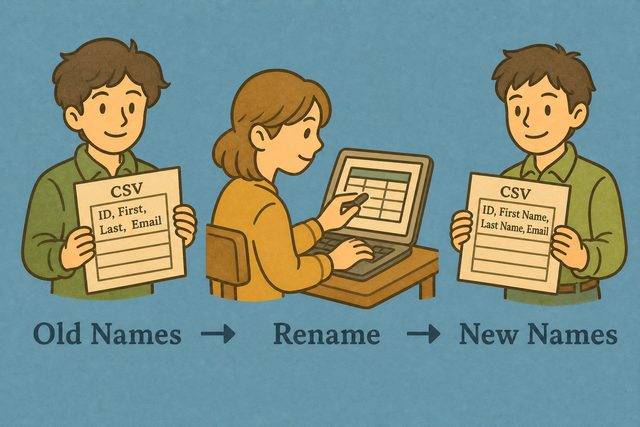
1. Import CSV data
2. Add the rename map
3. Copy or download the result
Supported Formats
Import CSV data
A CSV can come from a text export or a saved table. Paste it, upload it, or load the example to see the header mapping before you save the result.
Parsing Status
No data to parse
A CSV can come from a text export or a saved table. Paste it, upload it, or load the example to see the header mapping before you save the result.
Renamed CSV output
A header map changes column names and leaves row values unchanged.
How to rename CSV columns
A data export often has headers that do not match the field names in the next table. For example, a file may use Name,Age,City while your schema expects Full Name,Age,Location. Rename CSV Columns changes those header labels without rewriting the records.
- You can import the CSV Paste the data or upload the file. The preview shows the table that this page can parse.
- You can add the map Enter pairs such as Name=Full Name,City=Location. The map gives each old header one replacement name.
- You can review and export Check the output, then copy or download it. A visible result helps you catch a spelling or separator mismatch before another system reads the file.
What CSV column names are
What is CSV?
CSV is a plain text table with one record per line and a separator between fields. A header row such as Name,Age,City labels the columns, while later rows hold the values. Rename CSV Columns changes the labels because downstream tables often match fields by header name.
CSV rename example
Example input
Name,Age,City
Ada,36,London
Lin,29,Taipei
Example output
Full Name,Age,Location
Ada,36,London
Lin,29,Taipei
The map Name=Full Name,City=Location changes two labels. The values remain in their original rows, so the output is easier to match to a known schema.
Common CSV column problems
Leading zeros disappear
A value such as "00123" can look like 123 after a spreadsheet opens the file. CSV parsing here keeps the text value, but the receiving spreadsheet may infer a number, so its column format may need to be Text.
Everything appears in one column
A semicolon or tab separated file can appear as one field when the separator is set to comma. The Value Separator setting needs to match the source because the parser uses that character to split each row.
Letters look incorrect
Accented characters can look wrong when a source saved the file with an encoding different from UTF 8. A UTF 8 export usually keeps those characters readable because the parser and the file use the same character encoding.
CSV column renaming FAQ
Does Rename CSV Columns upload my file?
No. The file stays in your browser while the header labels change. Nothing is sent to a server, so you can review the output before you copy or download it.
How do I map old names to new names?
You can enter pairs in the rename map, such as Old=New,City=Location. The old text identifies a header, and the new text supplies its replacement, which keeps the mapping easy to check.
Are row values changed?
No. This page rewrites the header row and keeps the row values in place. A quick comparison of the input and output can confirm that the records still align.
How do I write a rename map?
You can use comma separated Header=New Name pairs, such as Name=Full Name,City=Location. Each pair names one existing header and its new label, so an omitted header remains unchanged.
What happens to headers I do not list?
They stay the same. The tool changes only headers that match a pair in the rename map, which lets you update part of a schema without renaming every field.
Can I rename CSV columns without spreadsheet software?
Yes. Paste or upload a CSV, add the map, and download the result. CSV is plain text, so this page can rename its headers in your browser without a separate spreadsheet application.