Transpose CSV Rows and Columns
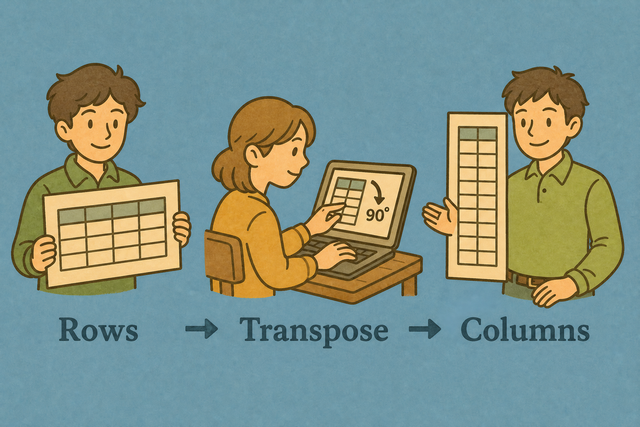
A CSV can place each record across a row, while a chart or matrix may need each record down a column. For example, a metric list can become a column based table when you transpose CSV data. The converter changes the table orientation while keeping cell values in their new positions.
How CSV transposition works
1. Add CSV data
2. Transpose the table
3. Copy or download the result
Supported Formats
Add CSV data
You can paste CSV, upload a file, or view an example
Parsing status
You can add CSV data to see the parsing status
You can paste CSV, upload a file, or view an example
Transposed CSV result
Rows become columns, and columns become rows.
How to transpose a CSV
A table can have the right values but the wrong orientation for a report or data import. For example, a file with metrics in rows may need one metric per column. This tool transposes the CSV in your browser, so the output keeps the same values while changing their positions.
- You can add your data Paste CSV or upload a file. The conversion runs in this browser, so you can review the input before it is changed.
- You can set the separator Choose the delimiter and header setting that match the source file. Matching these options prevents one row from being read as one long cell.
- You can check the result Review the preview, then copy or download the CSV. A quick check helps catch a wrong separator before another tool reads the file.
CSV structure and orientation
What CSV contains
CSV is a plain text table with one record per line and fields separated by commas, semicolons, tabs, or pipes. For example, Name,Age,City stores three fields in each row. Its simple structure makes the table easy to move between programs, while transposition changes its orientation without adding formulas or styling.
Sample input and output
CSV before transposition
Name,Age,City
Ada,36,London
Lin,29,Taipei
CSV after transposition
Name,Age,City
Ada,36,London
Lin,29,Taipei
Common CSV problems
Can leading zeros disappear?
A value such as "00123" can lose its leading zeros after a spreadsheet program opens it. Quoting the field keeps the zeros in the CSV, and this converter does not remove them while it transposes the table.
Why is everything in one column?
The separator may be a semicolon or tab instead of a comma. Select the separator used by the source file, because the parser needs that character to split each record into fields.
What about UTF 8 and Windows 1252?
Text can look incorrect when the file encoding does not match the characters it contains. UTF 8 is a practical choice for accented text, because the same encoding can represent those characters consistently across many systems.
Transpose CSV questions
Does Transpose CSV upload my file?
No. The table is transposed in your browser, and this page does not upload the CSV. Your data stays on your device while you review, copy, or download the result.
What does transpose CSV mean?
Transposing CSV means turning rows into columns and columns into rows. A table such as Name, Age, City across one row becomes a vertical layout with those fields down a column.
Will headers become the first column?
Yes, when First row is header is selected. The first row is treated as the header and becomes the first column after transposition.
What does Transpose CSV do?
Transpose CSV changes the orientation of a table without changing its cell values. Each row becomes a column, and each column becomes a row.
Do headers transpose too?
Yes. The header row is part of the table, so it moves with the other cells when the CSV is transposed.
When is transposing useful?
Transposition helps when a file stores one metric per row but a report or chart needs one metric per column. It also helps when another data tool expects the opposite table orientation.